MI
62
Innovation. Quality. Performance. Best in Industry. Worldwide.
Laser Ptr
The Laser Pointer function is used to indicate the current direction of the beam path prior to cutting. This can be
useful when leveling the beam since the laser pointer shows exactly where 0,0 is.
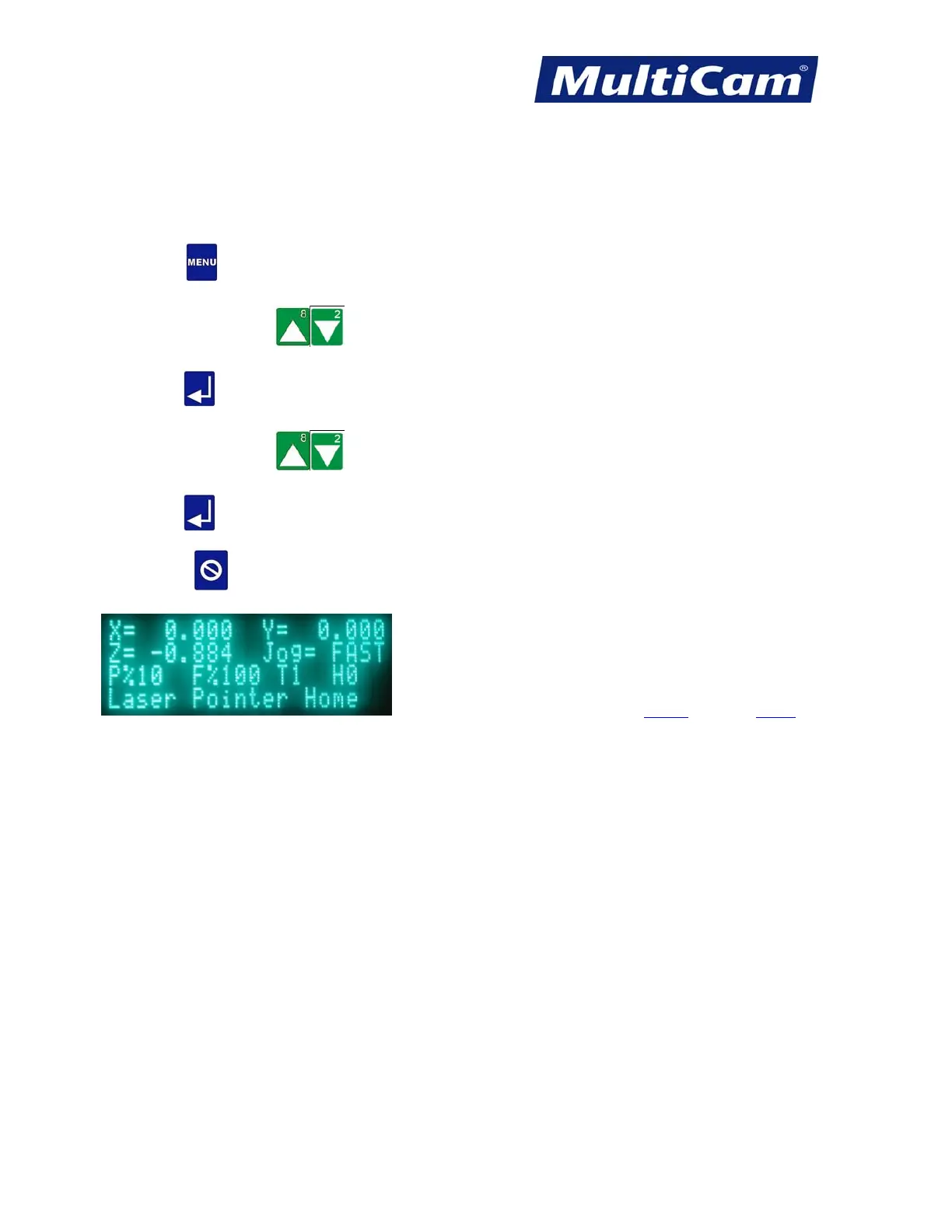
1. Press Menu to access the menu system.
2. Press X-axis Jog Arrows until Utility is highlighted in blue.
3. Press Enter
to access the Utility sub-menu.
4. Press X-axis Jog Arrows
until Laser Ptr is highlighted in blue.
5. Press Enter
to toggle the laser pointer on and off.
6. Press Cancel twice to return to the main display. The main display screen will show if the laser pointer
is active.
Utility Menu
Routers * Lasers * Plasma * WaterJets * Knife Cutters
www.MultiCam.com v. 11 10



 To Next Page