MI
56
Innovation. Quality. Performance. Best in Industry. Worldwide.
Reboot
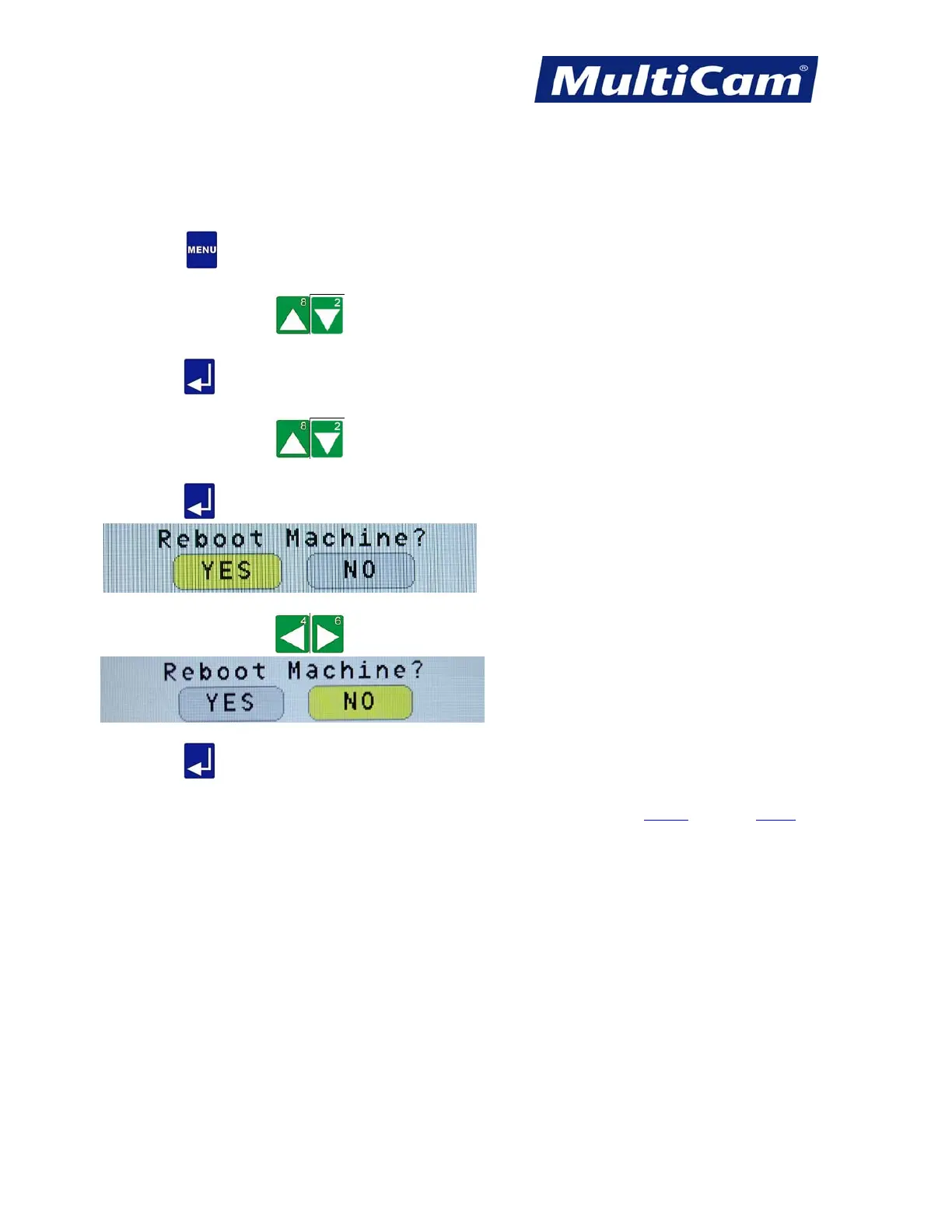
The Reboot function is used to reboot the machine without having to power down.
1. Press Menu
to access the menu system.
2. Press X-axis Jog Arrows
until Utility is highlighted in blue.
3. Press Enter
to access the Utility sub-menu.
4. Press X-axis Jog Arrows
until Reboot is highlighted in blue.
5. Press Enter
to access the reboot process.
6. Press Y-axis Jog Arrows to move between Yes and No.
7. Press Enter
to process the reboot of the machine. If No is selected, then the display will return to the
Utility sub-menu.
Utility Menu
Routers * Lasers * Plasma * WaterJets * Knife Cutters
www.MultiCam.com v. 11 10



 To Next Page