PAGE 28 — RX1575 SERIES TRENCH ROLLER • OPERATION MANUAL — REV. #0 (04/28/15)
42 Rammax 1575
1230047 | 21.06.2013
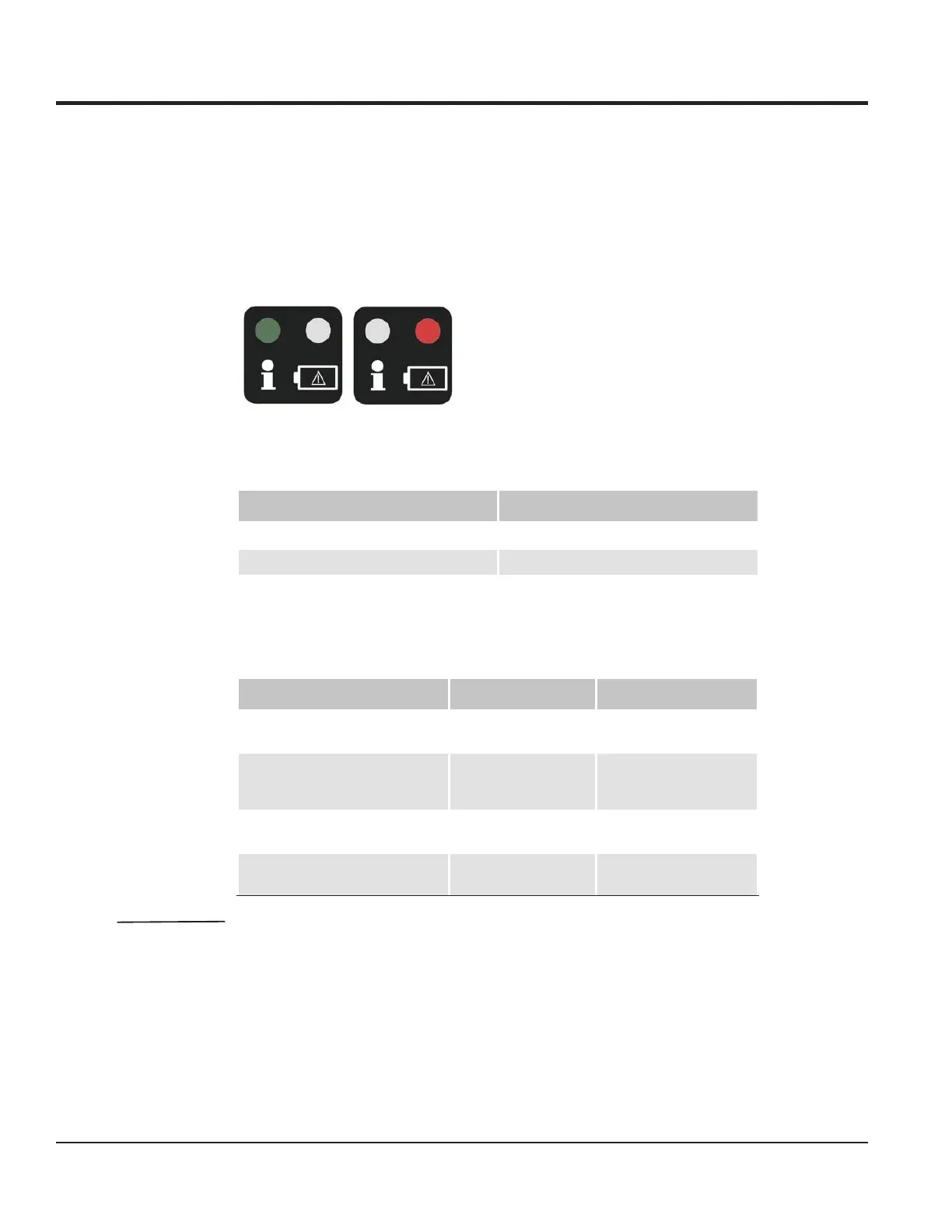
5.2.2 LED error display on the IR transmitter
There are two LEDs on the cover: a green one and a red one.
Fig. 5-2 LED error display, green/red
Standard
Tab. 5-4 Standard display
Battery charge
monitoring
The red LED blinks either faster or slower depending on the battery charge level. The lower
the charge state, the longer the on-phase of the LED.
Tab. 5-5 Battery charge monitoring display while performing a function
NOTE It is still possible to control via the cable once the battery is empty.
Battery warnings and errors are only displayed during active control (i.e., when
a control element is actuated).
As soon as and as long as the infrared transmitter is attached to the machine
controller via the cable and the ignition is turned to I, the red LED must flash
or be lighted.
5 Start/Stop
6 LED (error and charging display from IR transmitter)
7 Cable
Display Cause
The green LED is blinking slowly. The roller is being controlled via the cable.
The green LED is flashing. The roller is being controlled via infrared.
Display Cause Remedy
The red LED flashes briefly The battery is slowly
becoming drained
Connect the charging
cable for at least 1h.
The red LED always lights when a
control is operated.
When the battery is
drained, it is no longer
sent.
Connect the charging
cable for at least 1h.
The red LED flashes. The battery is being
charged.
The red LED is lit. The battery is fully
charged.
OPERATING AND DISPLAY ELEMENTS



 To Next Page