User’s Guide ValueJet 1304
Handling the printer
AP-75780 - Revision 1.3 49
4
After the micro adjustment printing is completed, "PF4:Micro Print" is displayed.
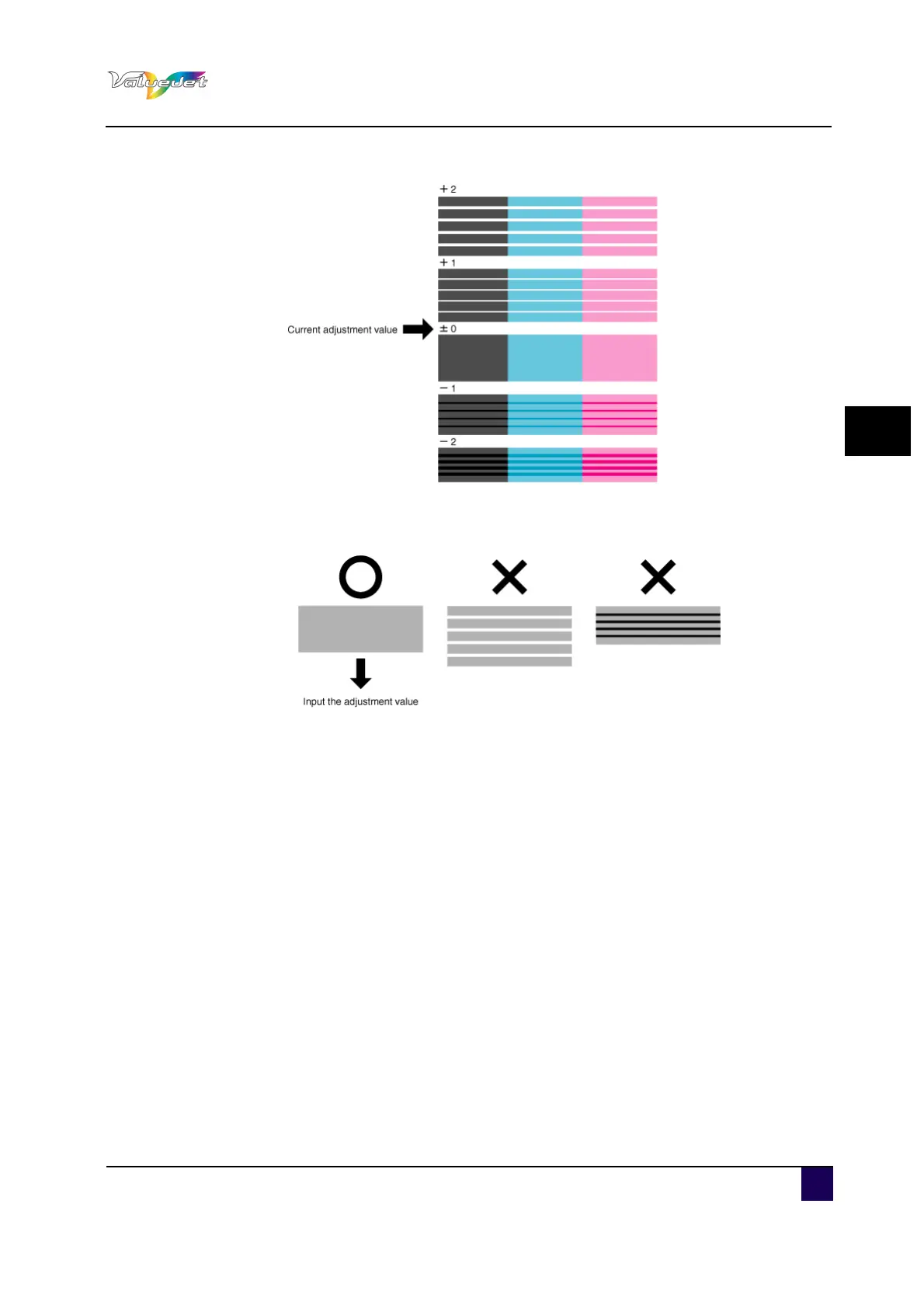
Step 8: Refer to the illustrations below and check the printing result.
Step 9: Sets up Micro Adjustment Change.
Press + or – to select "PF5:Micro Change".
Press Enter.
"Micro: 0pulse" is displayed.
Press + or – and enter the micro adjustment value according to the printing result
in Step 7.
Press Enter.
The micro adjustment value is saved.
"PF5:Micro Change" is displayed.
Press Cancel several times.
The operation panel returns to Normal.
The adjustment of media feed compensation value is complete.















 To Next Page