4 Handling the printer VJ-1624X/1624WX/1924WX OPERATION MANUAL
202 4.5 Using Spectrophotometer (VJ-1624X only)
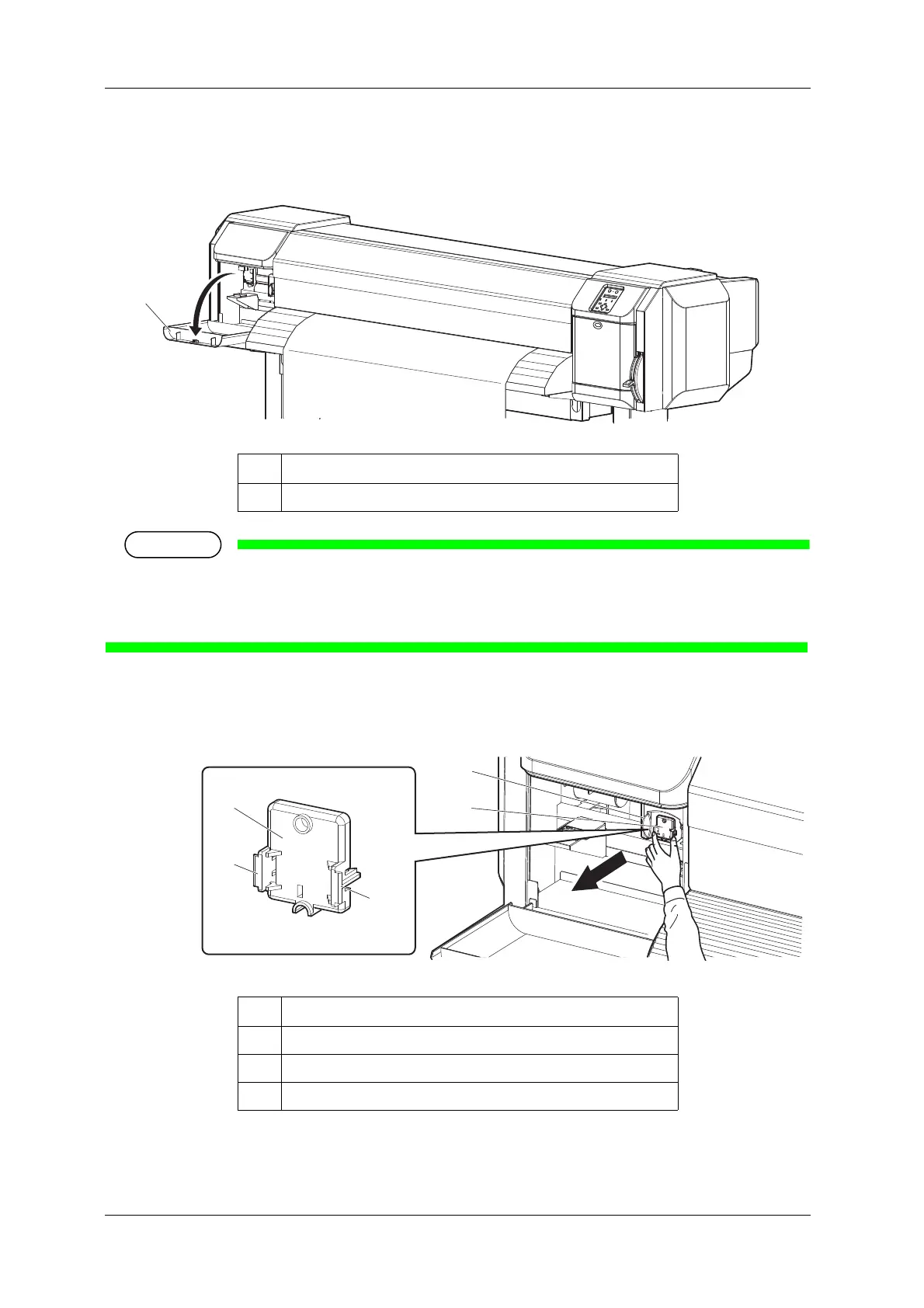
7. Open Maintenance cover on the left of the printer.
• Remove connector cap and attach instrument [ENTER] is displayed on the operation panel.
• When a certain time has passed without opening Maintenance cover, Print head returns toward the
right side of the printer for protection. "Attaching instrument [ENTER]" is displayed. Restart from
the step 6.
8. Firmly pinch the tabs on both sides of the connector cap with your fingers, pull the connector cap
forward to remove it from Print head.
No. Name
1 Maintenance cover
No. Name
1 Connector cap
2Tabs
3 Print head section















 To Next Page