Applications 4
Pulse Laser Station NPL-302 Series Instruction Manual 91
5.
Sight the prism or reflective sheet and press
[MSR1] or [MSR2].
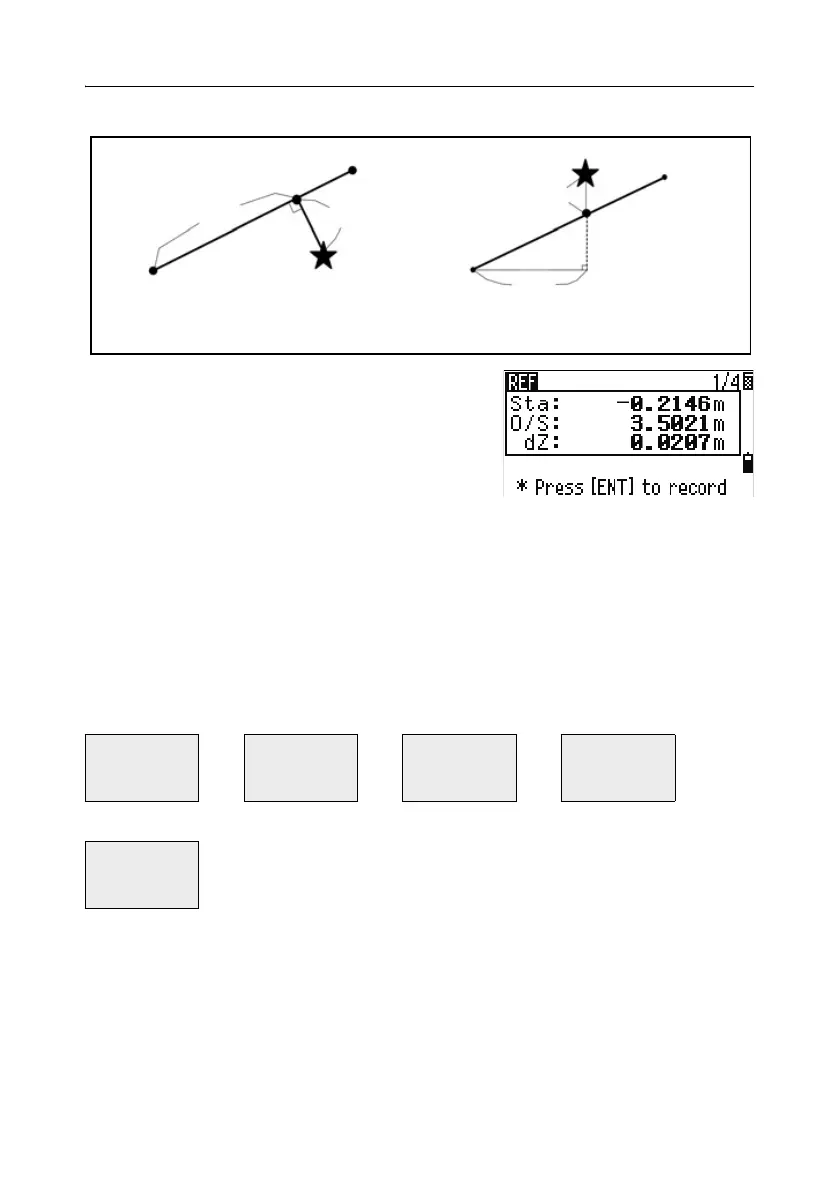
Sta Horizontal distance from P1 to the
measure point along the P1-P2 line
O/S Horizontal offset from the P1-P2 line to the measured point
dZ Vertical offset from the P1-P2 line to the measured point
Using [DSP] to switch between display screens
Press [DSP] to switch between the Stakeout display screens. The following screens
are available:
The REF5 screen is only available if the secondary distance unit is set. For more
information, see Others settings, page 140.
Every time you press
[DSP], the next screen appears. If you press [DSP] in the last
screen (REF4 or REF5), the REF1 screen appears.
REF1 REF2 REF3 REF4
Sta
O/S
dZ
X
Y
Z
HA
VA
SD
HA
VD
HD
REF5
HD
VD
SD
Plain view Side view
PT1
PT2
Sta
O/S
Prism
Prism
PT2
Sta
PT1
dZ



 To Next Page