4 Applications
108 Pulse Laser Station NPL-302 Series Instruction Manual
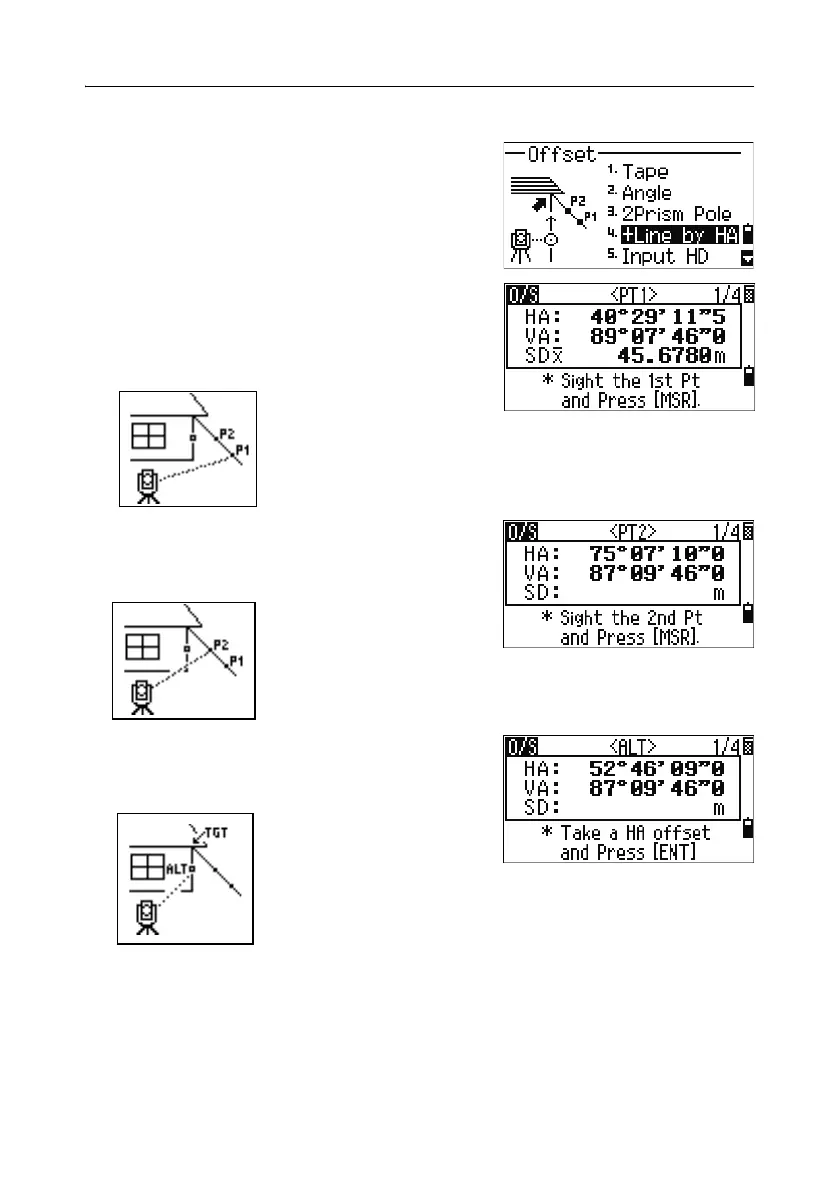
Extending a line by horizontal angle offset 40.1
1. To enter the line extension (by HA) function,
press
[4] or select +Line by HA in the Offset
menu.
2. Sight the first prism (or target) and press [MSR1]
or
[MSR2].
The display moves to the next screen.
3. Sight the second prism (or target) and press
[MSR1] or [MSR2].
4. Sight the alternative place on the same vertical
line as the required target point.
5. To calculate the coordinates and the raw data of the target point, press [ENT].



 To Next Page