3 Getting Started
52 Pulse Laser Station NPL-302 Series Instruction Manual
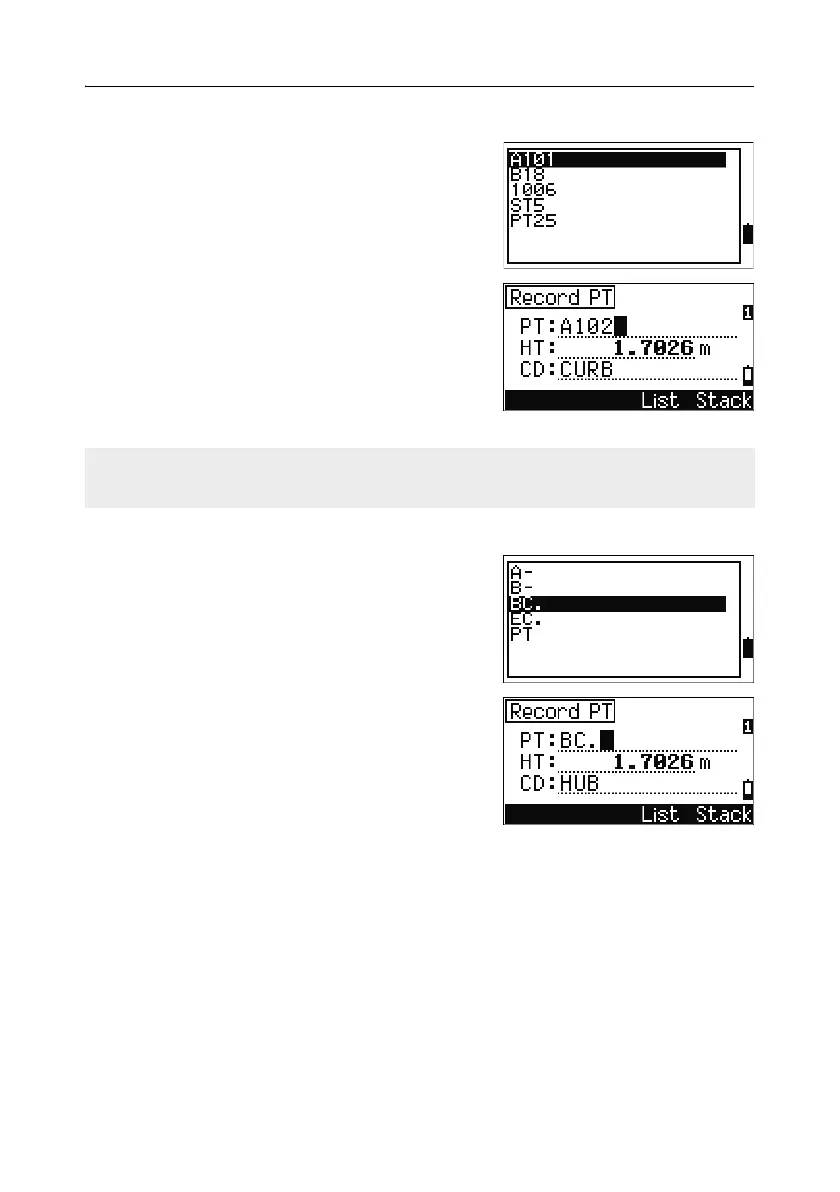
Entering a point from the stack
The point stack is a list of recently used points. To
display the stack, press the
Stack softkey when
the cursor is in the PT field.
Use
[^] or [v] to move the cursor to the point that
you want to use. Then press
[ENT].
When you return to the point input screen, the
selected point name is entered in the PT field,
incremented by one. For example, if you selected
the A101 point, A102 appears in the PT field.
Entering a point from the point list
To display a list of existing points, press the List
softkey when the cursor is in the PT field.
Use
[^] or [v] to move the cursor to the point that
you want to use. Then press
[ENT].
When you return to the point input screen, the
selected point name is entered in the PT field. You
can add digits or alphabetic characters if required.
Entering a code 32.2
The CD (Code) field always defaults to the last code used. You can change the
selected code on the input point screen, or you can press
[COD] in the BMS. For more
information, see [COD] key, page 42.
You can use numeric or alphanumeric names up to 16 characters long to identify
codes.
The stack shows the last 20 point names used, in chronological order from last used
to first used.



 To Next Page