3 Getting Started
36 Pulse Laser Station NPL-302 Series Instruction Manual
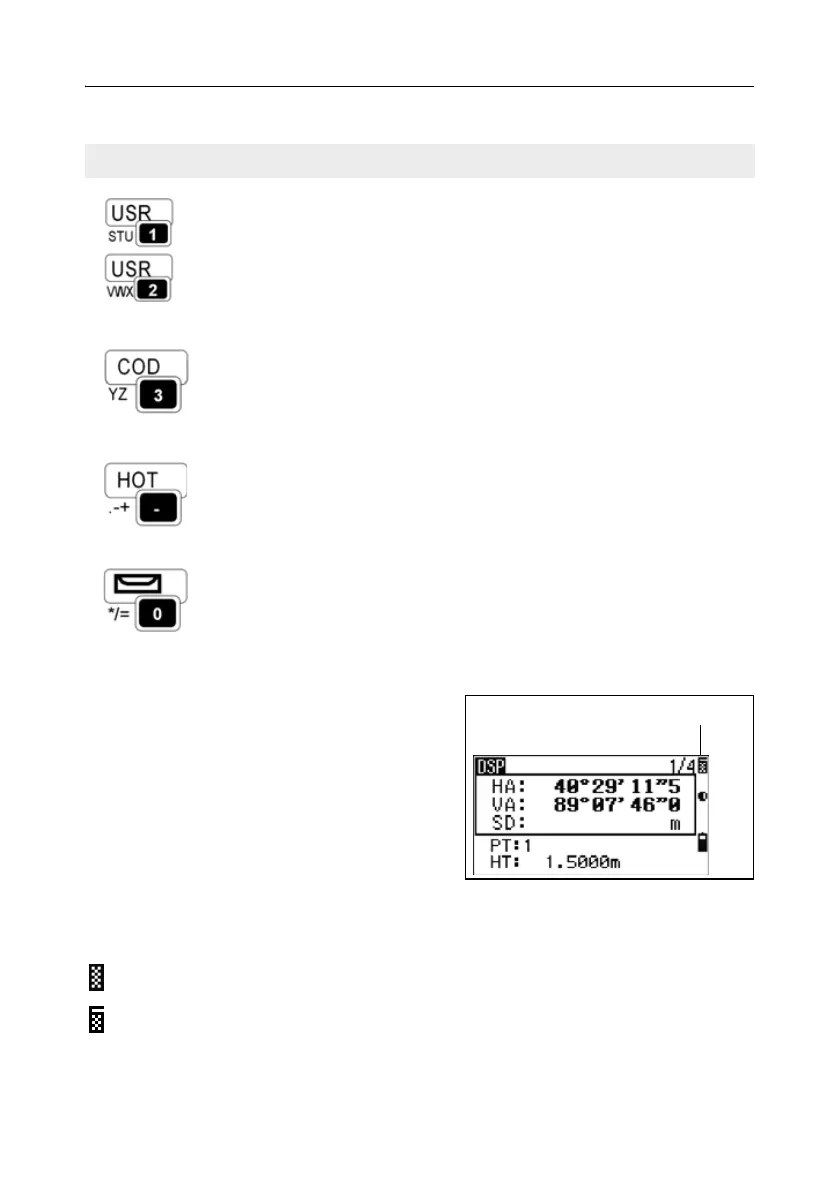
Status bar 31.1
The status bar appears on the right side of
every screen. It contains icons that indicate
the status of various system functions.
Signal indicator
The signal indicator shows the reflected light intensity:
Executes the function that is assigned to the [USR1] key.
In numeric mode, enters 1. In alphanumeric mode,
enters S, T, U, or 1.
Executes the function that is assigned to the [USR2] key.
In numeric mode, enters 2. In alphanumeric mode,
enters V, W, X, or 2.
page 46
Opens a window where you can enter a code. The
default code value is the last code entered.
In numeric mode, enters 3. In alphanumeric mode,
enters Y, Z, a space, or 3.
page 42
Displays the (HOT) menu, which includes Height of
Target, Temp-Press, Target, Note recording, and Default
PT settings.
In numeric mode, enters – (minus). In alphanumeric
mode, enters . (period), – (minus), or + (plus).
page 43
Displays the Bubble indicator.
In numeric mode, enters 0. In alphanumeric mode,
enters *, /, =, or 0.
page 45
Level 4 (maximum)
Level 3
Table 3.2 Key functions (continued)
Key Function Details
Status bar



 To Next Page