Menu Key 5
Pulse Laser Station NPL-302 Series Instruction Manual 123
Calculating and manually inputting coordinates 50.1
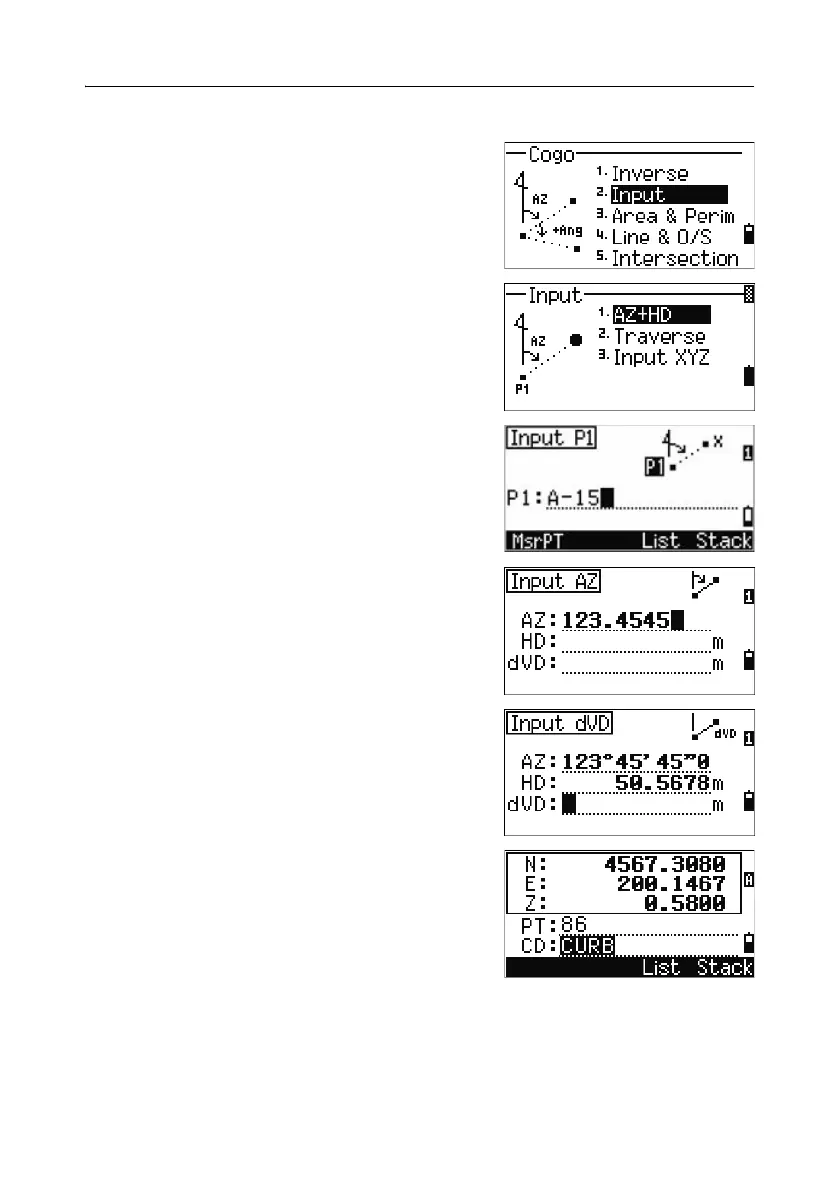
To enter the Input menu, press [2] or select Input
in the Cogo menu. There are three functions in
this menu for recording new coordinate points.
Azimuth+HD input
To calculate a coordinate by an angle and distance
input from the base point (P1), press
[1] or select
AZ+HD in the Input menu.
Enter the base point (P1). Type the point name and
press
[ENT].
Enter the azimuth, horizontal distance, and
vertical distance. Then press
[ENT].
To enter 123°45'45", type 123.4545 and press
[ENT].
If you do not enter a value in the dVD field, the
value 0.0000 is used.
A recording point screen with the calculated
coordinates appears. PT defaults to the last
recorded PT + 1.
Press
[ENT] to store the point.



 To Next Page