Checking and Adjustment 6
Pulse Laser Station NPL-302 Series Instruction Manual 171
Checking and Adjusting the Optical Plummet 6.2
The optical axis of the plummet must be aligned with the vertical axis of the
instrument.
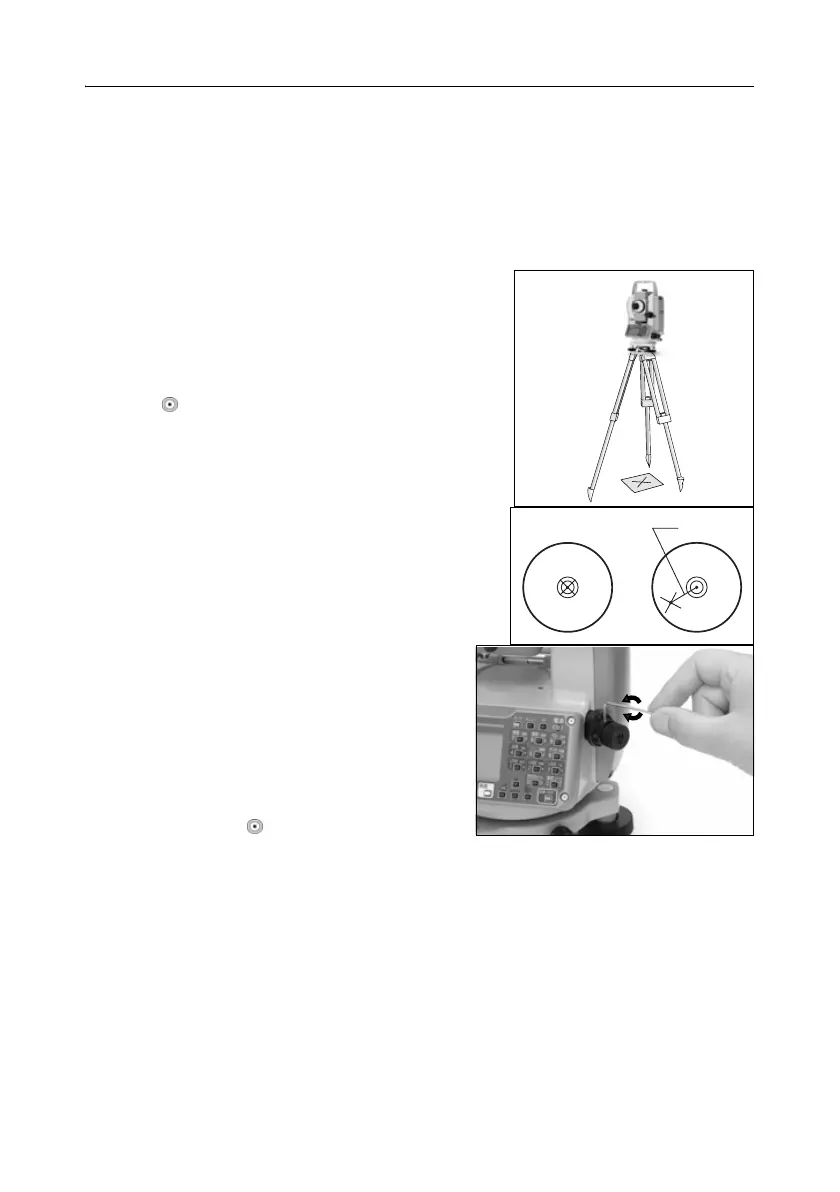
To check and adjust the optical plummet:
1. Place the instrument on the tripod. You do not have to level the instrument.
2. Place a thick sheet of paper marked with an X on
the ground below the instrument.
While you are looking through the optical
plummet, adjust the leveling screws until the
image of the X is in the center of the reticle
mark .
3. Rotate the alidade 180°.
If the marked image is in the same position in
the center of the reticle mark, no adjustment is
required.
4. If the image is not in the same position,
adjust the optical plummet:
a. Use the supplied hexagonal wrench to
turn the adjustment screws until the
image of the X is in Position P. Position
P is the center point of the line
connecting the X and the center of the
reticle mark .
b. Repeat from Step 2.
P



 To Next Page