5 Menu Key
140 Pulse Laser Station NPL-302 Series Instruction Manual
Others settings 51.9
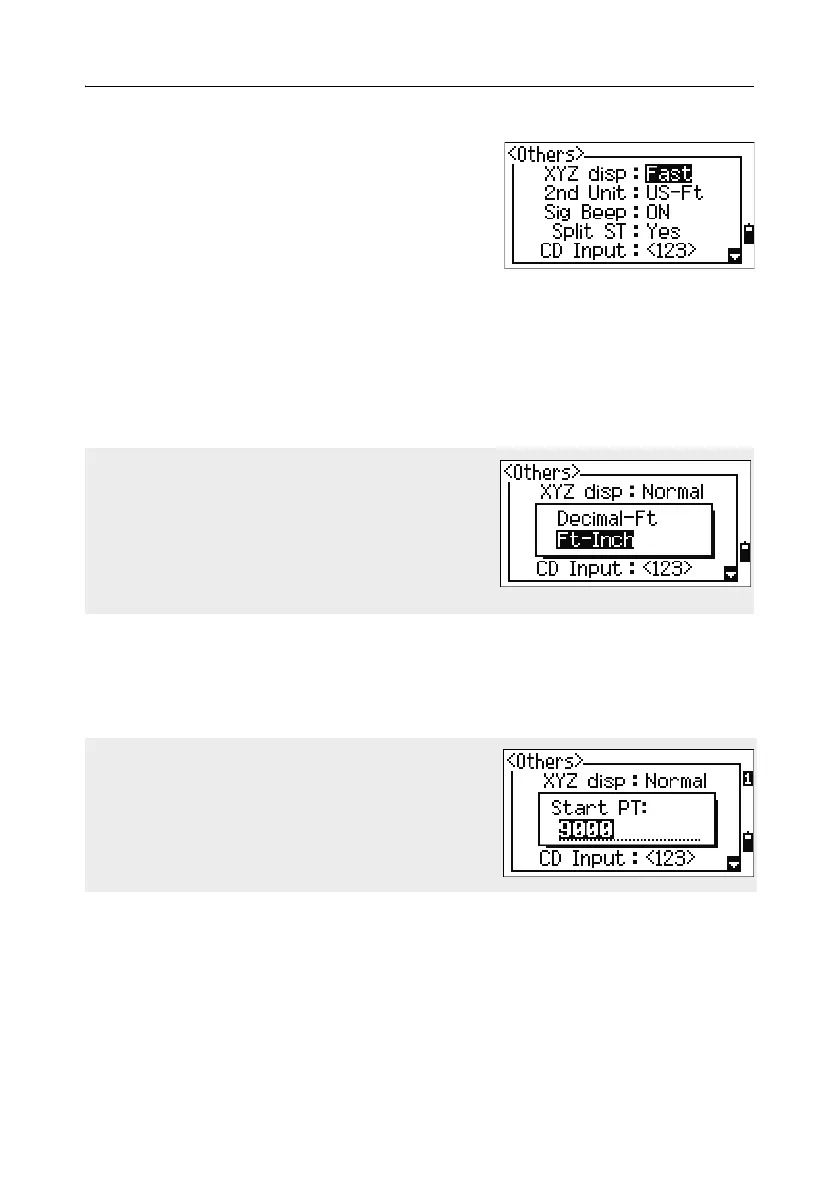
To open the Others menu, press [9] or select
Other in the Settings menu.
XYZ disp Fast/Norm/Slow/+ENT
Defines speed to move to the next
screen after showing XYZ of the
input PT
2nd Unit None/Meter/US-Ft/I-Ft
When the Secondary unit is set to a unit, an extra display screen is
available in the BMS, stakeout observation screens, and 2-pt
reference line screens. The extra screen shows the HD, VD, and SD
in the secondary unit.
Sig Beep ON/OFF
Split ST No/Yes
Select Yes to separate the point numbers of station points from other
record type point numbers.
CD Input ABC/123
Sets the default input mode when a CD field appears.
If you select US-Ft or I-Ft, an additional settings
screen appears. Use this screen to specify
whether to display values in Decimal-Ft or Ft-
Inch.
If you set the Split ST field to Yes, an additional
setting screen appears. Use this screen to specify
the starting ST number.



 To Next Page