4 Applications
110 Pulse Laser Station NPL-302 Series Instruction Manual
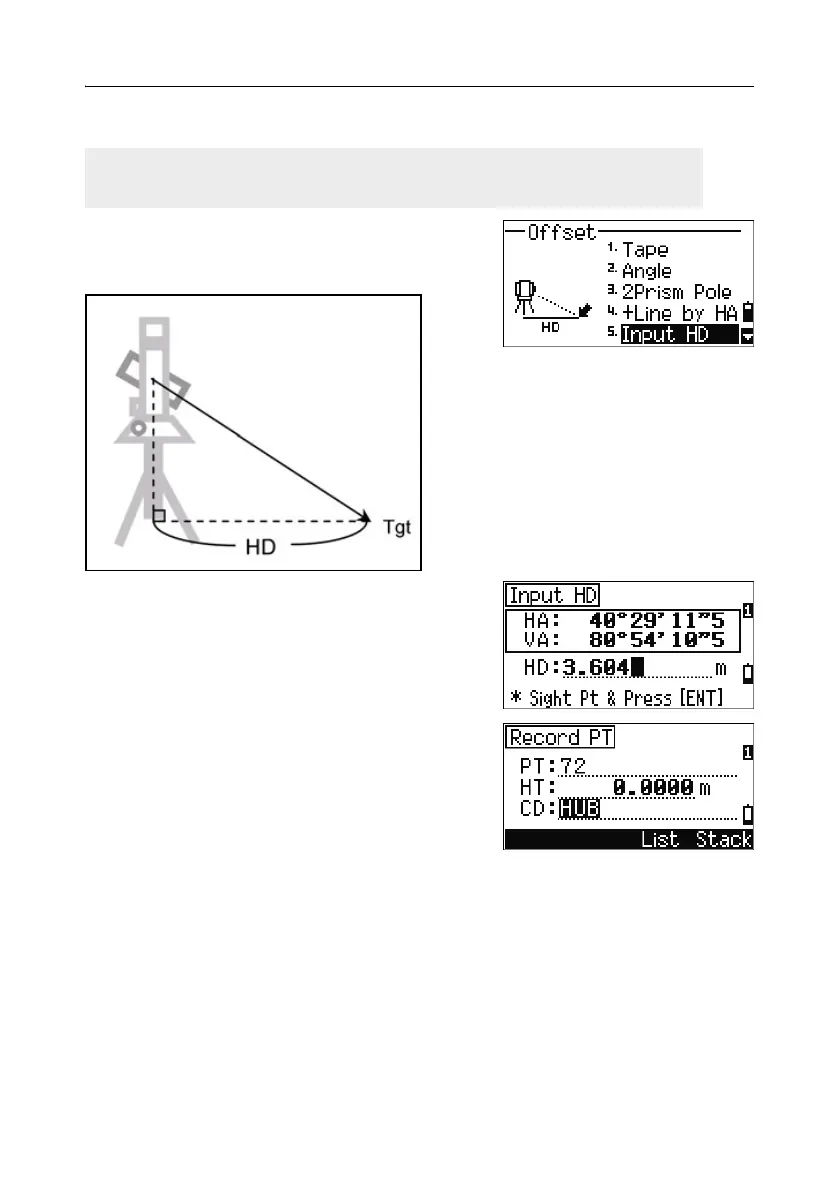
Entering a horizontal distance after an angle-only shot 40.1
1. To enter the Input HD function, press [5] or
select
Input HD in the Offset menu.
2. Turn the telescope in the direction of the point
that you want to store.
3. Enter the HD. Usually this is the taped
distance from the instrument point.
4. Enter a PT (and CD) value and press [ENT].
The target point is calculated and recorded as
an SS record.
Sample records
SS,158,0.0000,77.0518,62.08380,108.06510,11:51:48,
CO, Input HD:76.1243
This function is useful when the instrument is very close to the point and it is
difficult to take a measurement using the EDM.



 To Next Page