Menu Key 5
Pulse Laser Station NPL-302 Series Instruction Manual 163
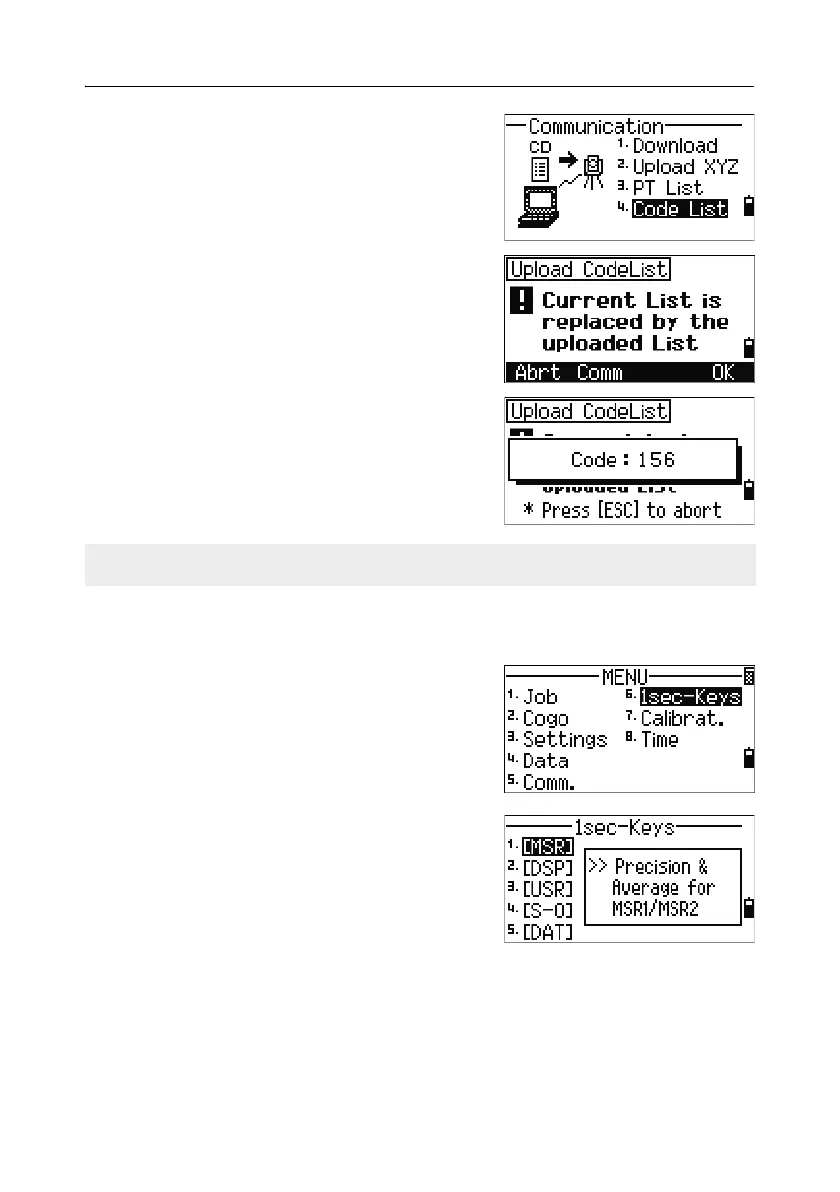
To upload a code list, press [4] or select Code
List
.
Connect the RS-232C cable.
Start a terminal program on the computer.
To put the instrument into receive mode, press
[ENT] or the OK softkey.
The counter is updated as each line in the list is
stored.
You can store up to 254 codes or point names.
1sec-Keys 5.1
Use the 1sec-Keys menu to configure the settings
for the one-second keys,
[MSR], [DSP], [USR], [S-O],
and
[DAT]. To access this menu, press [6] or select
1sec-Keys in the MENU screen.
[MSR] key settings 51.1
To change settings for the [MSR1] and [MSR2] keys,
press
[1] or select [MSR] in the 1sec-Keys menu.
If a code or point name is longer than 16 characters, it is truncated.



 To Next Page