Getting Started 3
Pulse Laser Station NPL-302 Series Instruction Manual 41
[MODE] key 30.1
Use the [MODE] key to change the keyboard mode for the current screen.
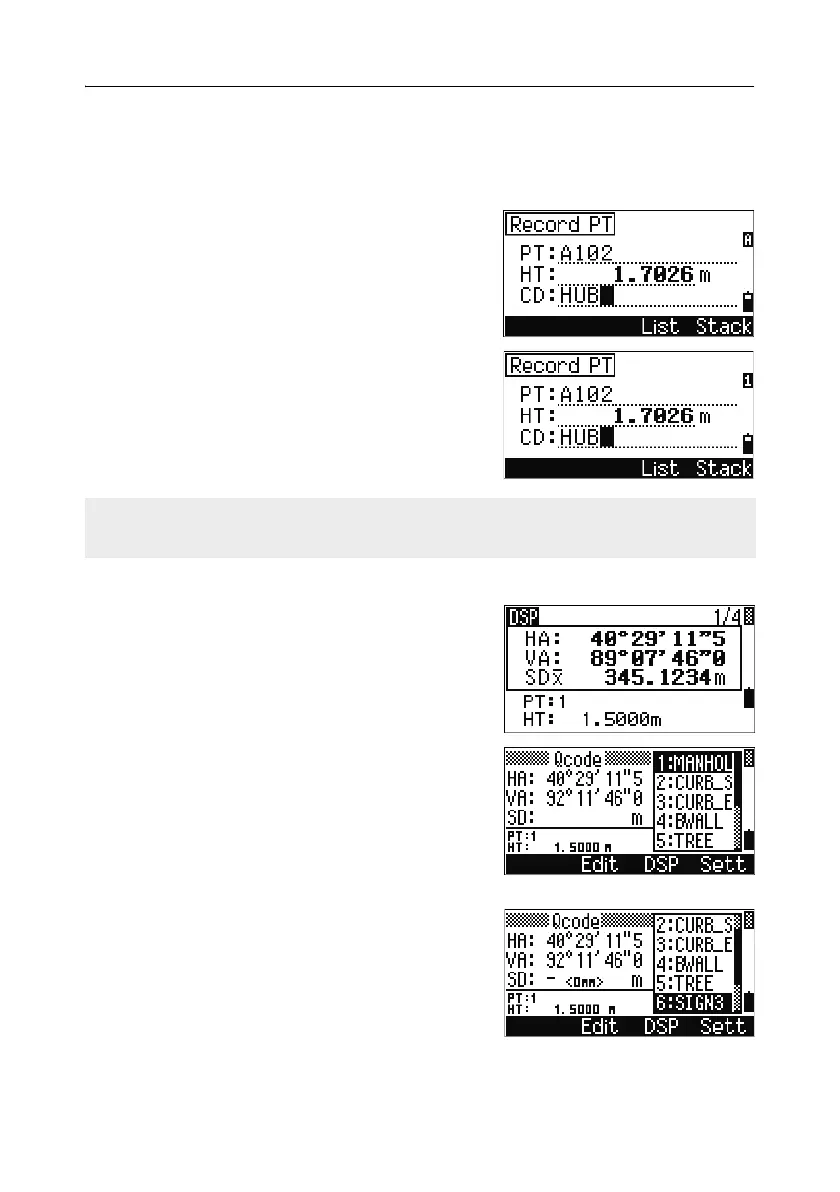
Changing input mode while entering points or codes
When the cursor is in a point (PT) or code (CD)
field, press
[MODE] to change the input mode
between alphanumeric (
A) and numeric (1).
The input mode indicator in the status bar changes
to show the current input mode.
Quick code measurement mode
1.
To activate Quick code measurement mode,
press
[MODE] in the BMS.
The PT field shows the default point name.
2. Press any numeric key ([0] through [9]) to start
measuring and recording points.
A list of the numeric keys and their assigned
feature codes appears on the right side of the
screen.
For example, when you press
[6], the code
assigned to 6 is selected, and the instrument
starts a measurement.
When the cursor is in a height (HT) field, only numeric input mode is available.
Pressing [MODE] has no effect when the cursor is in a HT field.



 To Next Page