Applications 4
Pulse Laser Station NPL-302 Series Instruction Manual 67
Setting up a station with known coordinates or azimuth 41.1
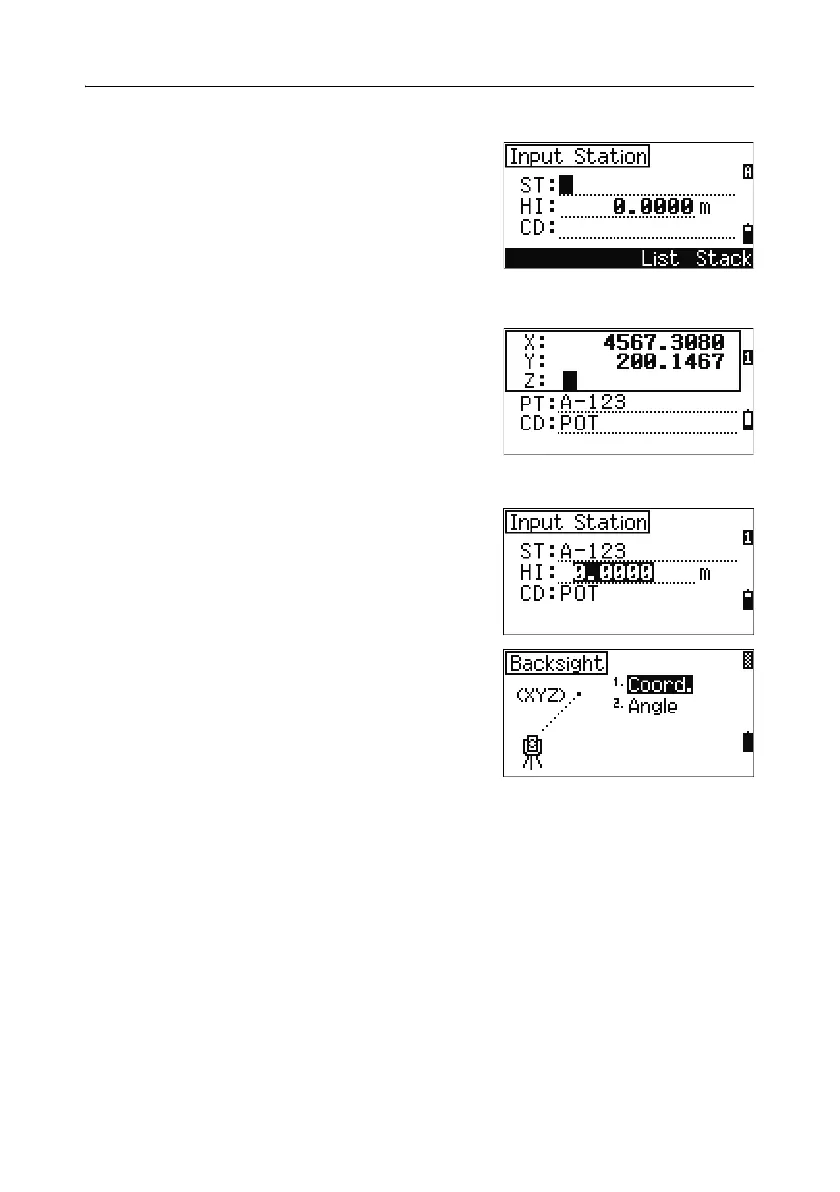
1. Press [1] or select Known in the Stn Setup
menu.
2. Enter a point name or number in the ST field.
– If the input point number or name is an
existing point, its coordinates are displayed
and the cursor moves to the HI (Height of
instrument) field.
– If the point is new, a coordinate input
screen appears. Enter the coordinates for
the point. Press
[ENT] after each field. When
you press
[ENT] in the CD field, the new
point is stored.
– If the specified point has a code, the code
appears in the CD field.
3. Enter the instrument height in the HI field and
then press
[ENT].
The Backsight screen appears.
4. Select an input method for defining the
backsight point.
– To sight the backsight by entering
coordinates, see below.
– To sight the backsight by entering the
azimuth and angle, see page 70.



 To Next Page