5 Menu Key
160 Pulse Laser Station NPL-302 Series Instruction Manual
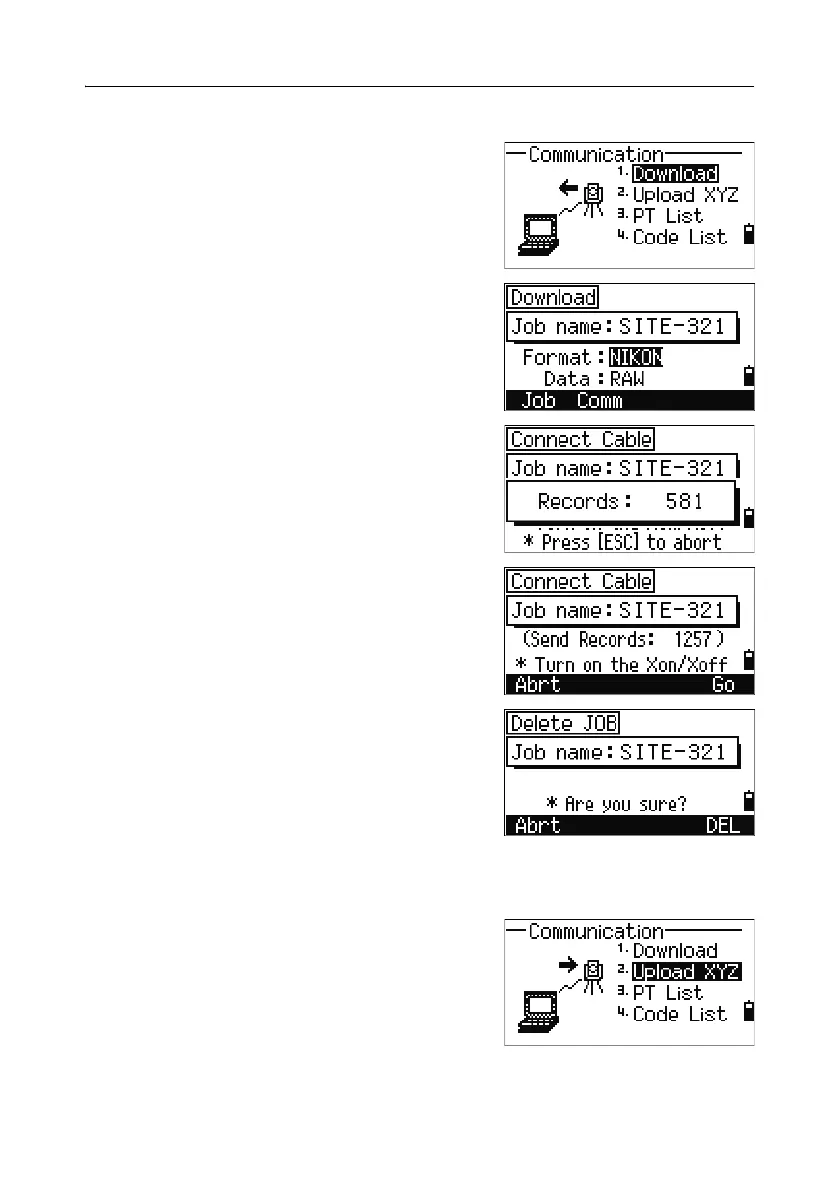
Downloading data 51.1
To go to the download settings screen, press [1] or
select
Download in the Communication menu.
Format NIKON
SDR2x
SDR33
Data RAW
Coordinate
To display the total number of records that will be
downloaded, press
[ENT] in the Data field.
As each record in the current job is output from
the instrument (downloaded), the current line
number is updated.
After downloading is completed, you can choose
to delete the current job.
To delete the current job, press
[4]. To return to the
Basic Measurement Screen (BMS), press
[ESC] or
the
Abrt softkey.
Uploading coordinate data 51.2
To upload coordinate data from a computer, press
[2] or select Upload XYZ in the Communication
menu.



 To Next Page