Menu Key 5
Pulse Laser Station NPL-302 Series Instruction Manual 135
Settings 5.1
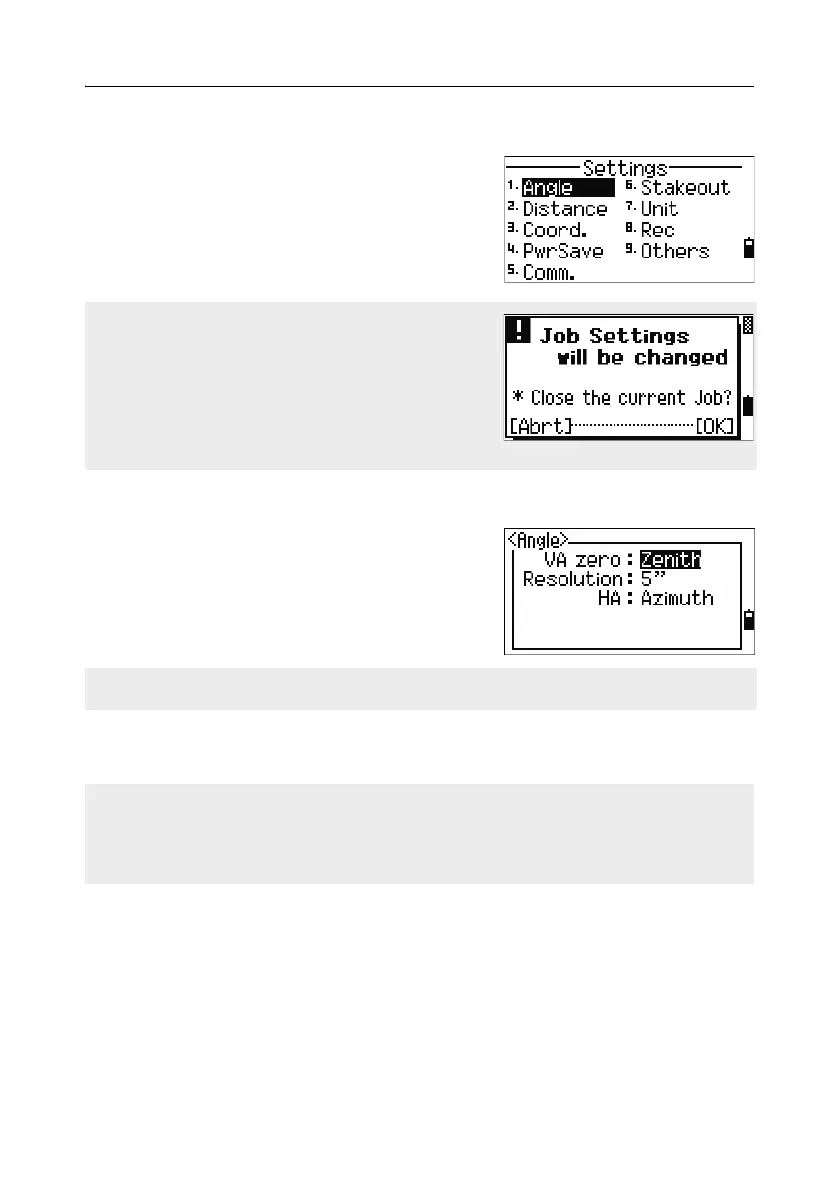
To display the Settings menu, press [2] or select
Settings on the MENU screen.
Use this menu to configure the initial job settings.
Angle 51.1
To open the Angle menu, press [1] or select
Angle in the Settings menu.
VA zero Zenith/Horizon/Compass
Resolution 1"/5"/10" or 0.2 mgon/1 mgon/2 mgon
HA 0 to BS/Azimuth
Some job settings, specified in the following
sections, cannot be changed once a job is
created. If any of these settings are changed while
a job is open, a confirmation screen appears,
asking you to create a new job with the new
settings, or to work with those settings without
recording any data. For more information, see
Settings, page 212.
The VA zero job setting cannot be changed once a job is created.
The HA job setting cannot be changed once a job is created.
When this field is set to Azimuth, the horizontal angle (HA) that appears and
recorded is in Azimuth value. When this field is set to 0 to BS, HA is in HA zero to
BS value.



 To Next Page