4 Applications
66 Pulse Laser Station NPL-302 Series Instruction Manual
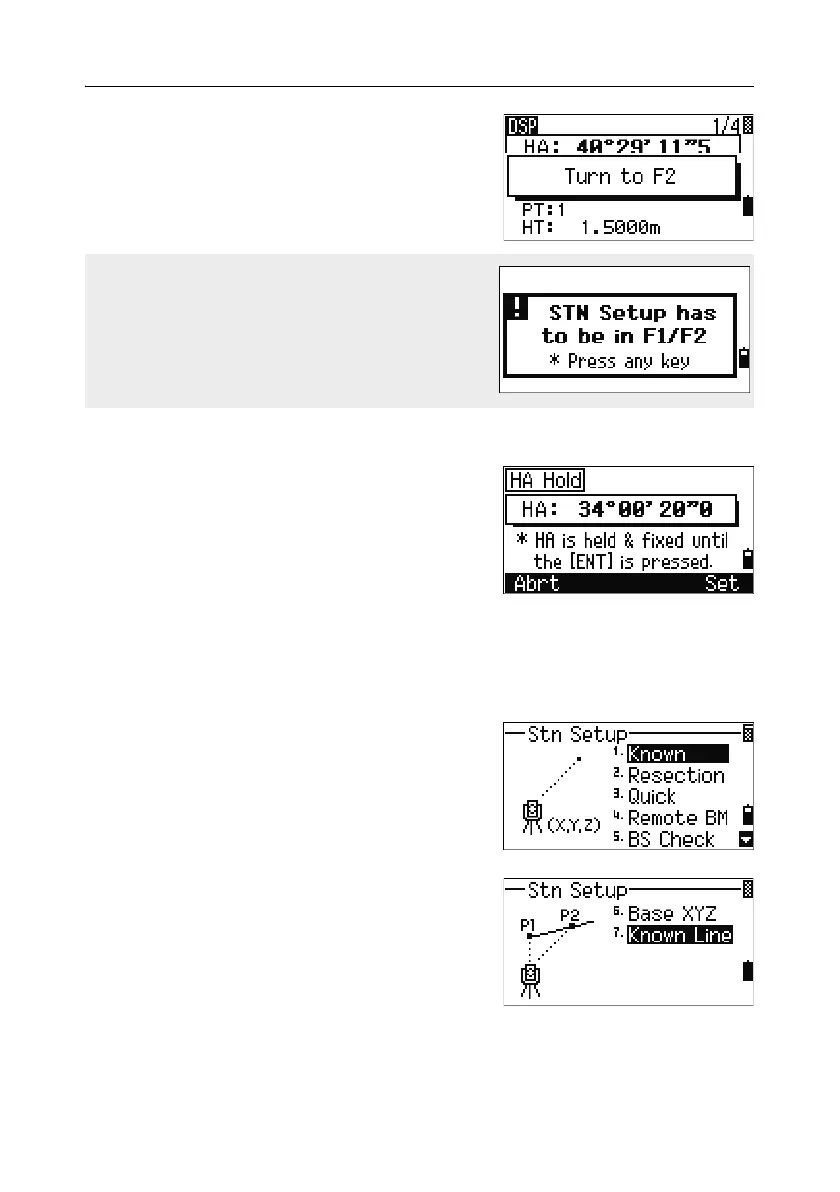
If you have already taken a distance measurement
to the target, you can initiate F1/F2 averaging by
flipping the telescope to the other face.
Horizontal angle hold 40.2
To hold the horizontal angle to the current value,
press
[5] or select Hold in the Angle menu.
To set the horizontal angle to the displayed value,
press
[ENT] or the Set softkey.
To cancel the process and return to the Basic
Measurement Screen (BMS), press
[ESC] or the
Abrt softkey.
Station Setup 4.1
To open the Stn Setup menu, press [STN] in the
BMS.
To select a command from this menu, press the
corresponding number key. Alternatively, press
[<]
or
[>] to highlight the command and then press
[ENT]. Press [^] or [v] to move up or down one page.
The last function used is highlighted.
For the HA to be adjusted from a F1/F2
measurement, the Backsight must also have
been measured in F1/F2 during the station setup.



 To Next Page