5 Menu Key
134 Pulse Laser Station NPL-302 Series Instruction Manual
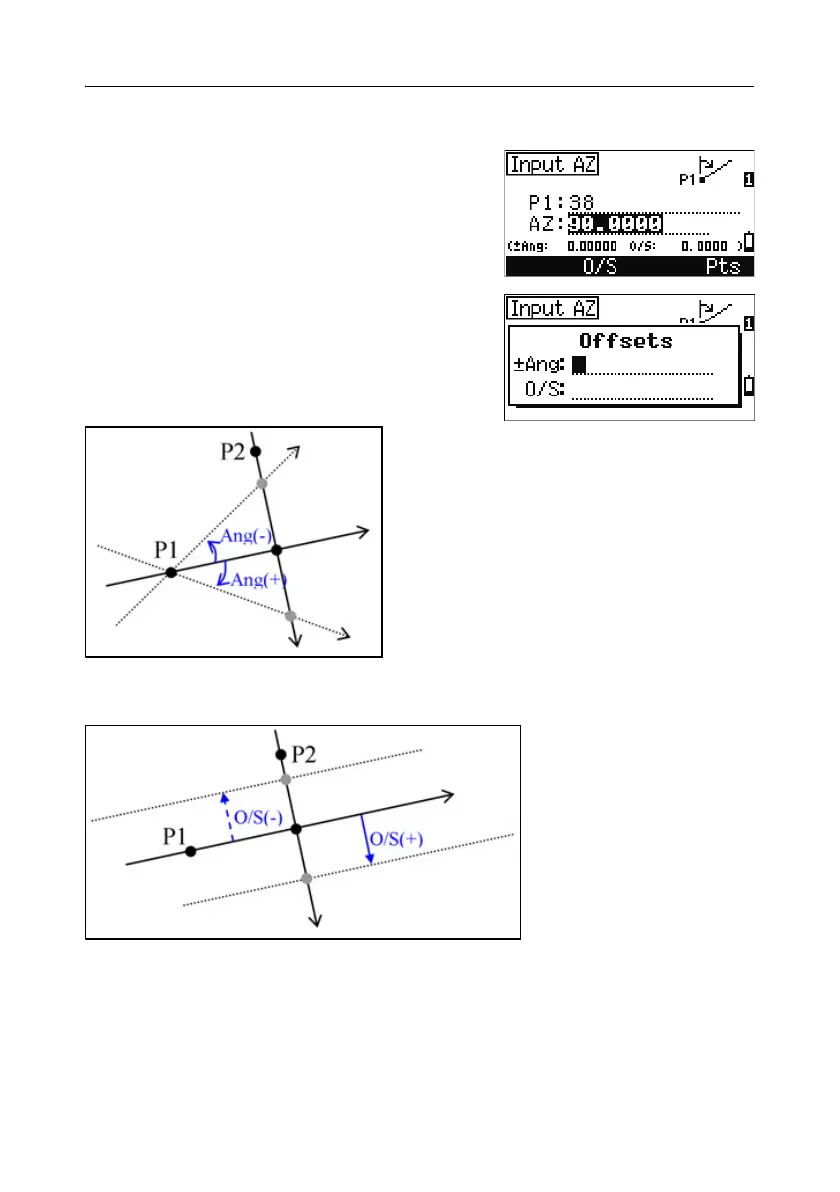
Advanced feature: Entering angle and distance offsets
To display the offset input screen, press the O/S
softkey.
In the Ang field, enter a positive value to rotate
the line clockwise. Enter a negative value to rotate
the line counterclockwise.
In the O/S field, enter a positive value to specify an offset to the right. Enter a
negative value to specify an offset to the left.



 To Next Page