Menu Key 5
Pulse Laser Station NPL-302 Series Instruction Manual 165
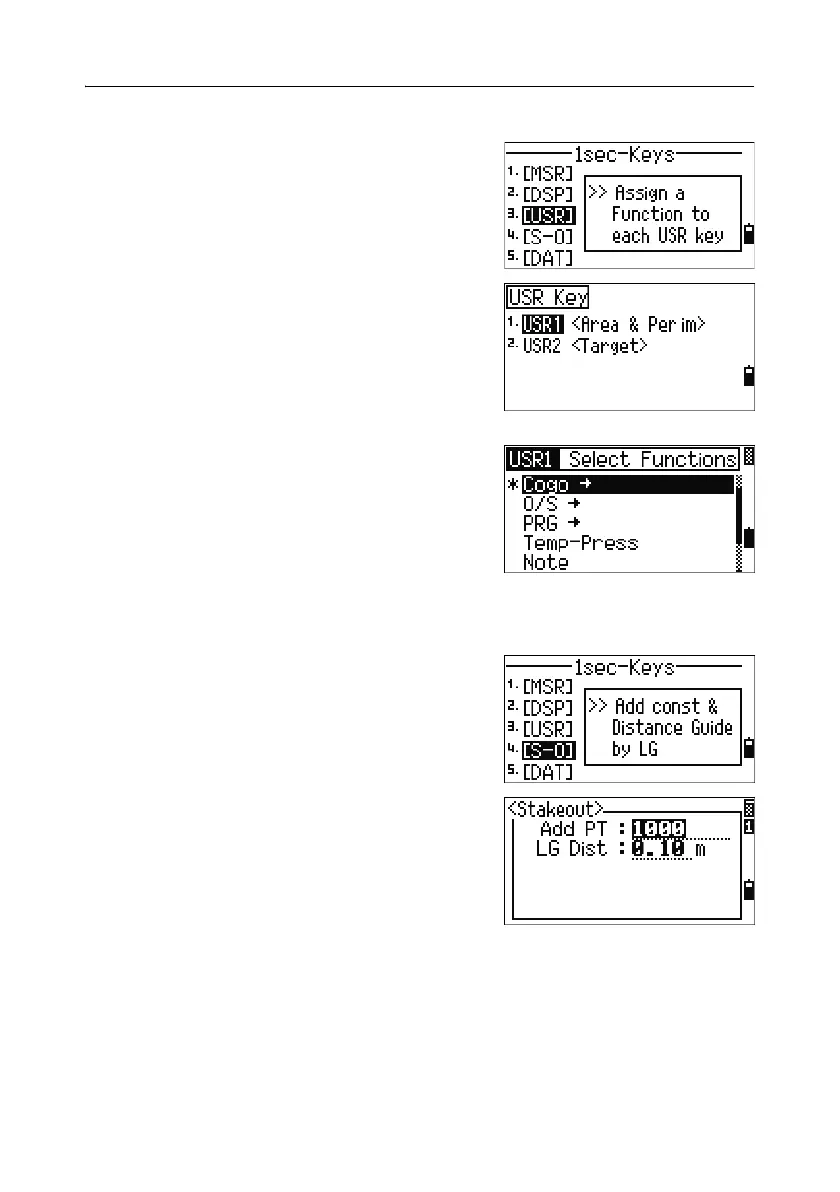
[USR] key settings 51.3
To change the functions that are assigned to the
[USR1] and [USR2] keys, press [3] or select [USR] in
the 1sec-Keys menu.
There are two
[USR] keys. The function that is
assigned to each key appears beside the key name.
– To change the settings for the
[USR1] key,
press
[1] or select USR1.
– To change the settings for the
[USR2] key,
press
[2] or select USR2.
In the Select Functions screen, the asterisk (*)
indicates the function that is currently assigned to
the key.
To highlight a function, use
[^] or [v]. To assign that
function to the selected
[USR] key, press [ENT].
[S-O] key settings 51.4
To enter the Stakeout settings screen, press [4] or
select
[S-O] in the 1sec-Keys menu.
There are two Stakeout settings. For more
information, see Stakeout, page 138.



 To Next Page