4 Applications
90 Pulse Laser Station NPL-302 Series Instruction Manual
Program Key 4.1
To display the Programs menu, press [PRG].
Measuring distance and offset values along a specified line 41.1
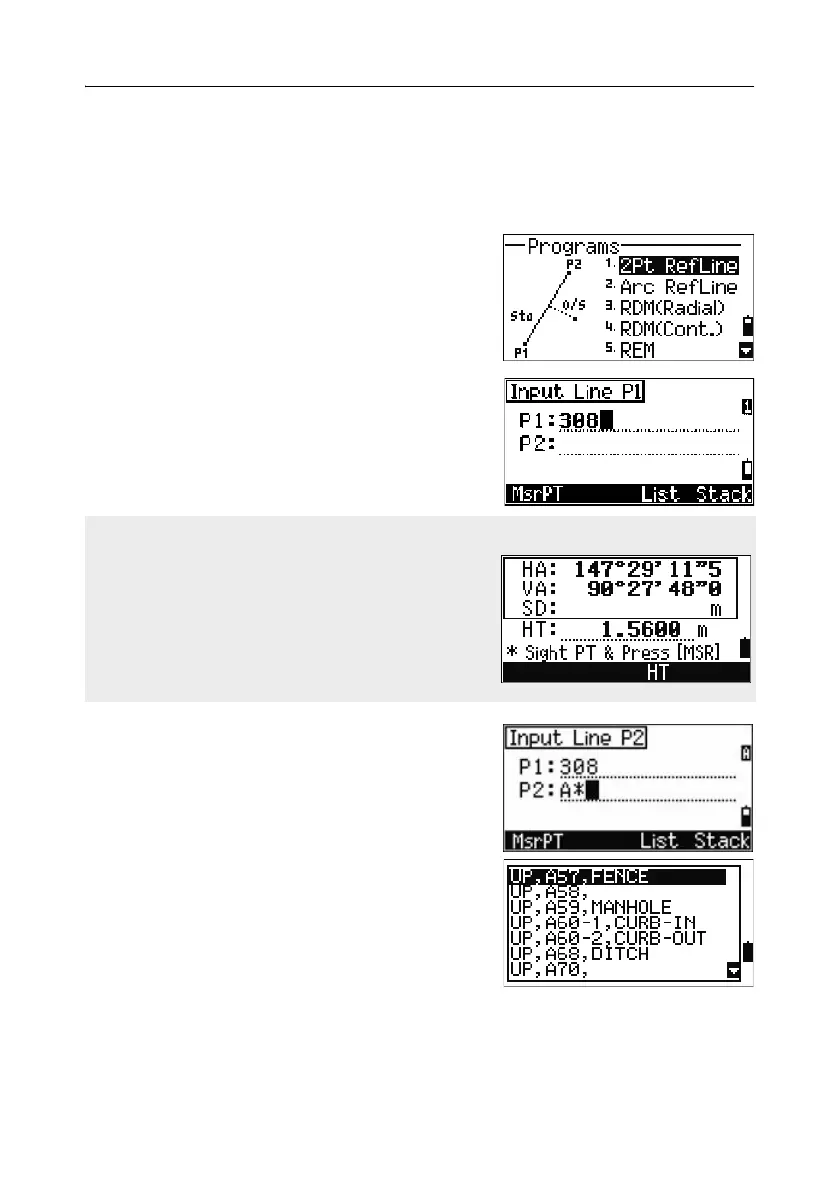
1. Press [1] or select 2Pt RefLine in the
Programs menu.
2. Enter the first point for the reference line.
Alternatively (to enter the point by
measuring), press the
MsrPT softkey.
3. Enter the second point for the reference line.
4. Enter an asterisk (*) in the PT field to perform
a wildcard search. A list of matching points
appears. Highlight a point in the list and then
press
[ENT].
Direct Measurement screen
Press the
MsrPT softkey to display a direct
measurement screen.
Sight the target and press
[MSR1] or [MSR2]. The
Record PT screen appears.
If you press [ESC] in the Record PT screen, the
measured point is used but not recorded in the
job.



 To Next Page