Applications 4
Pulse Laser Station NPL-302 Series Instruction Manual 89
3.
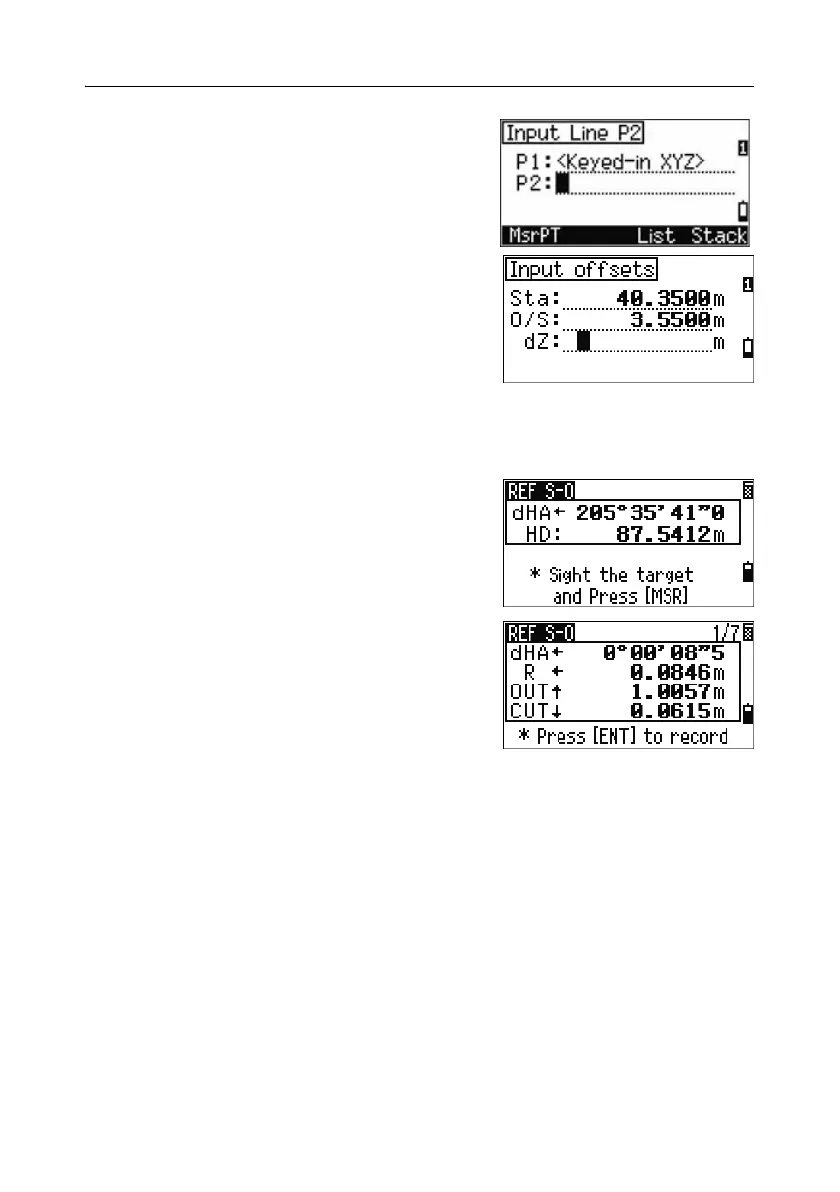
Enter the second point (P2) of the line.
4. Enter offsets to the line.
Press
[ENT] in a blank field to enter the value
0.0000.
Sta Distance from P1 along the line
O/S Distance perpendicular to the line
(+) Right side of the P1
−P2 line
(-) Left side of the P1
−P2 line
dZ Difference in height from the line
5.
Rotate the instrument until the dHA is close to
0°00'00".
6. Sight the target and press [MSR1] or [MSR2].
When a distance measurement is taken, the
difference from the design point appears.
7. To record the point as an SO record, press
[ENT].
Using [DSP] to switch between display screens
You can use [DSP] to switch between display screens. This function works as in the
angle-distance stakeout. For more information, see Using [DSP] to switch between
display screens, page 83.



 To Next Page