3 Getting Started
40 Pulse Laser Station NPL-302 Series Instruction Manual
Customizing items in the Basic Measurement Screen (BMS)
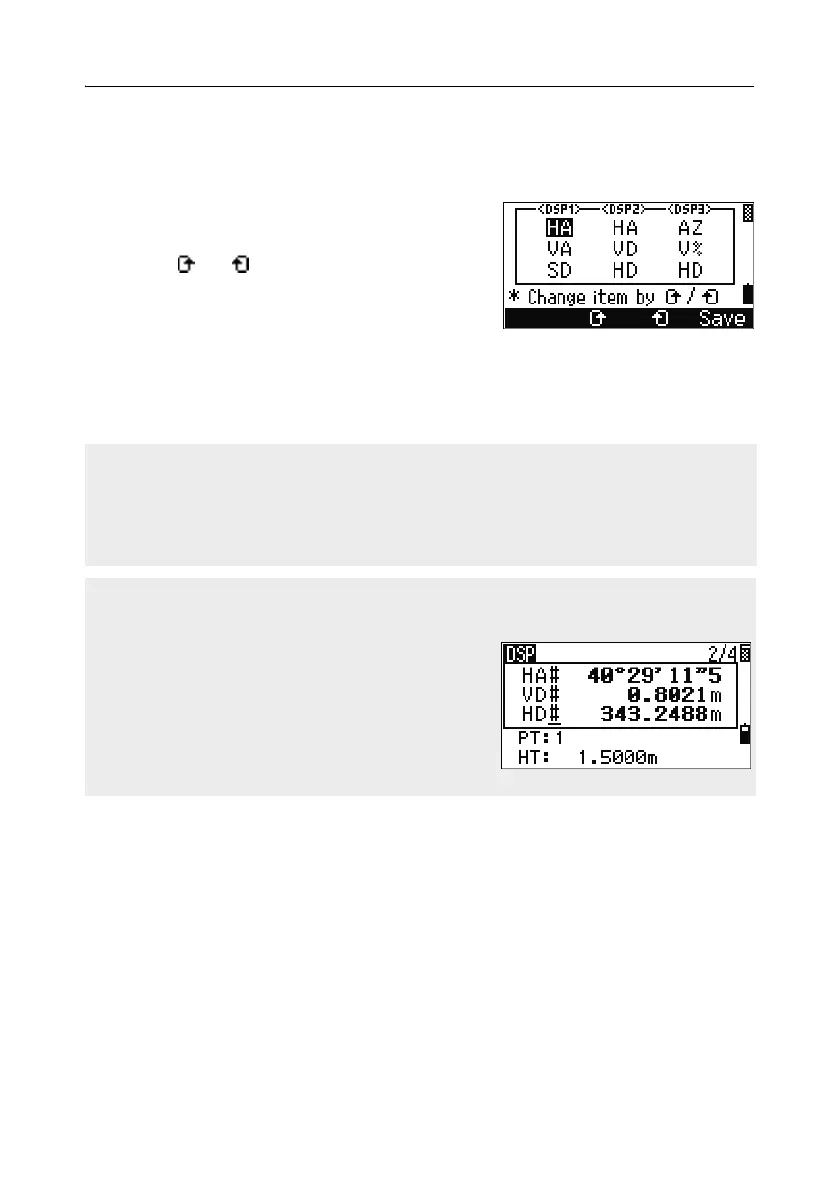
To customize the items that are displayed on the DSP1, DSP2, and DSP3 screens:
1. Hold down [DSP] for one second.
2. Use the arrow keys [^], [v], [<], and [>] to
highlight the item that you want to change.
3. Use the and softkeys to scroll through the
list of items that can be displayed for this item.
The items that you can choose from are HA,
AZ, HL, VA, V%, SD, VD, HD, Z, and (none).
4. To save your changes, press the Save softkey. Alternatively, highlight the last
item for DSP3 and press
[ENT]. The DSP screens show the items you have
selected.
Except for the (none) item, you cannot display the same item on more than one line
of the same screen.
The items displayed in the DSP1, DSP2, DSP3, and DSP4 screens are also used in
the corresponding Stakeout screens (SO2, SO3, SO4, and SO5).
You can also customize the displayed items in Stakeout.
Header characters
The following header characters can be used in DSP screens:
A colon (:) indicates that tilt correction is applied
to the value.
A hash symbol (#) indicates that tilt correction is
off.
An underscore (_) under the tilt correction
character indicates that Sea Level Correction or
Scale factor is applied.



 To Next Page