Getting Started 3
Pulse Laser Station NPL-302 Series Instruction Manual 35
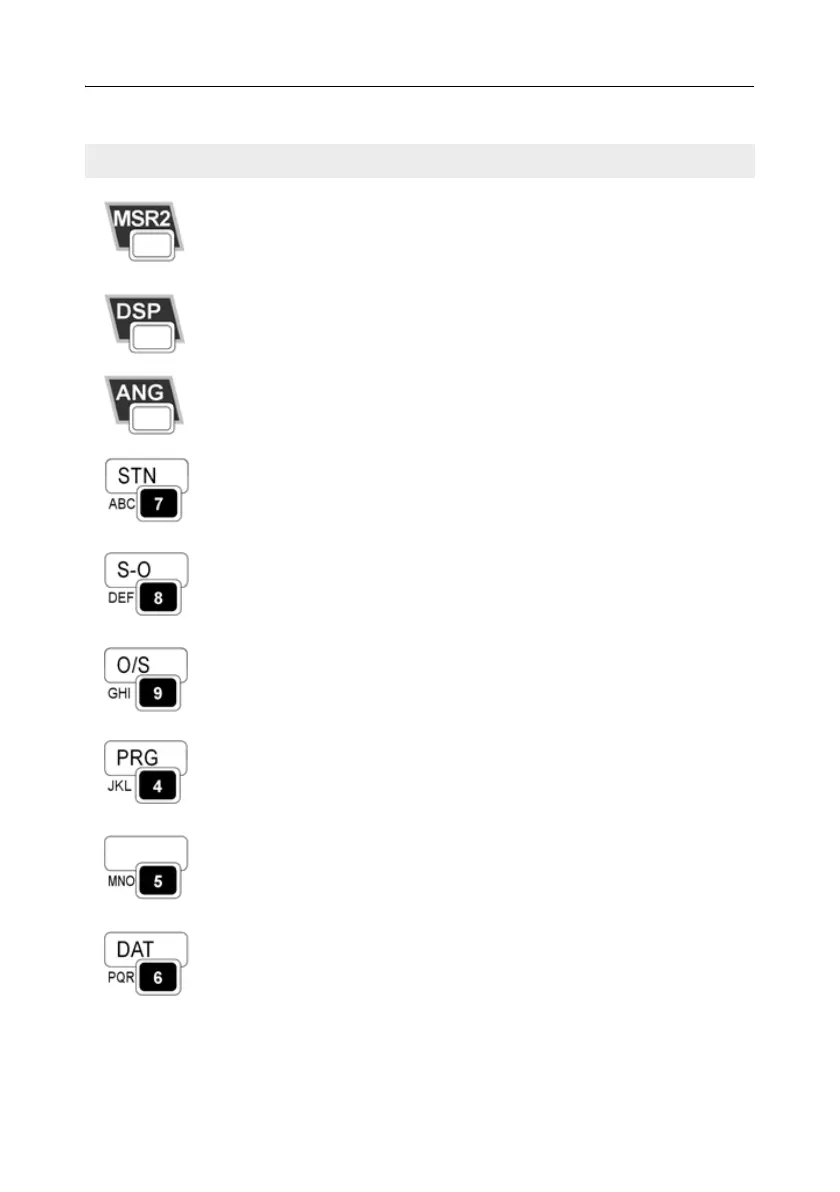
Starts distance measurement, using the measure mode
settings for the [MSR2] key.
Displays measurement mode settings, if held down for
one second.
page 58
Moves to the next available display screen.
Changes the fields that appear on the DSP1, DSP2,
and DSP3 screens, if held down for one second.
page 61
Displays the Angle menu. page 64
Displays the Station Setup menu.
In numeric mode, enters 7. In alphanumeric mode,
enters A, B, C, or 7.
page 66
Displays the Stakeout menu.
Shows stakeout settings, if held down for one second.
In numeric mode, enters 8. In alphanumeric mode,
enters D, E, F, or 8.
page 81
Displays the Offset Point Measurement menu.
In numeric mode, enters 9. In alphanumeric mode,
enters G, H, I, or 9.
page 105
Displays the Programs menu, which contains additional
measuring programs.
In numeric mode, enters 4. In alphanumeric mode,
enters J, K, L, or 4.
page 90
In numeric mode, enters 5. In alphanumeric mode,
enters M, N, O, or 5.
Displays RAW, XYZ, or STN data, depending on your
setting.
In numeric mode, enters 6. In alphanumeric mode,
enters P, Q, R, or 6.
page 47
Table 3.2 Key functions (continued)
Key Function Details



 To Next Page