Getting Started 3
Pulse Laser Station NPL-302 Series Instruction Manual 53
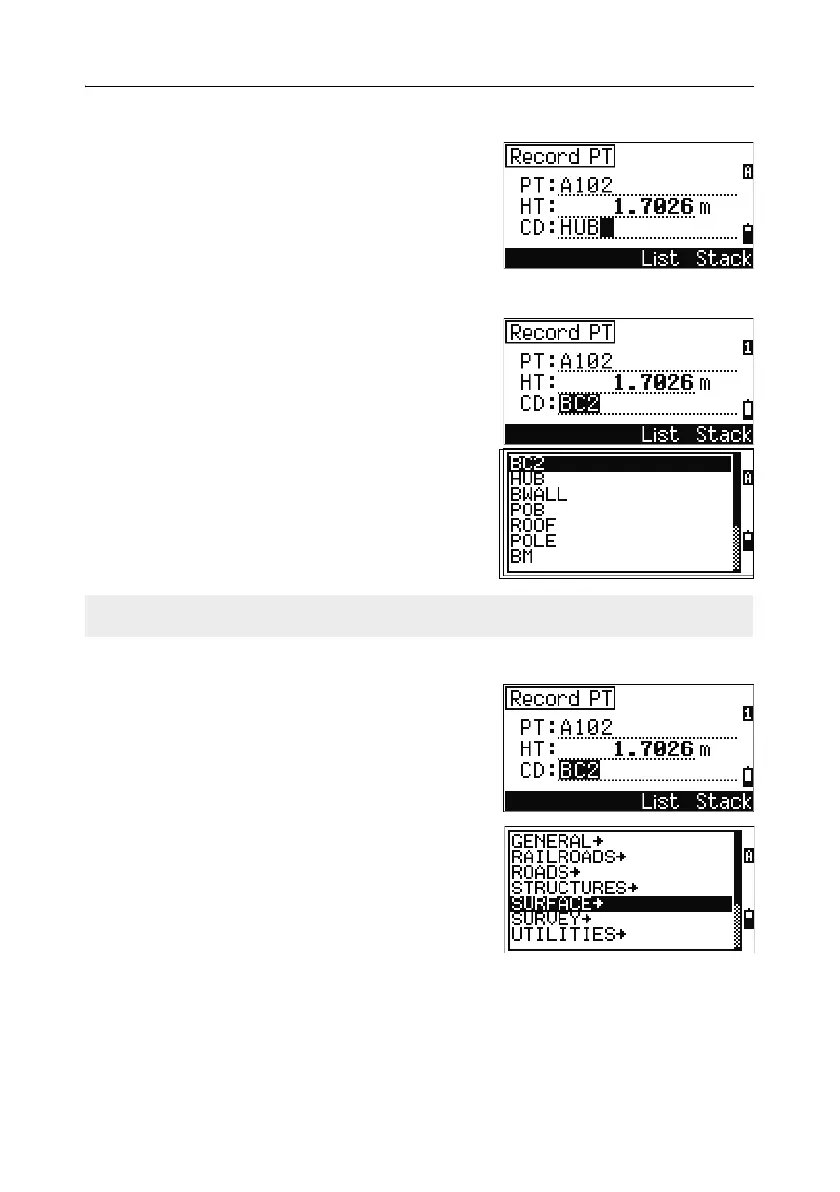
Entering a code directly
To enter a code directly, press [MODE] to change the
input mode to alphanumeric or numeric mode.
Then use the keypad to enter the code.
Entering a code from the stack
The code stack is a list of recently used codes. The
stack may contain up to 20 codes.
To display the stack, press the
Stack softkey
when the cursor is in the CD field.
Use
[^] or [v] to move the cursor to the code that
you want to use. Then press
[ENT].
The selected code is copied to the CD field.
Entering a code from the code list
To display a list of existing codes, press the List
softkey when the cursor is in the CD field.
To edit the code list, go to
MENU > Data >
Code List
. For more information, see Editing
an item in the point list or code list, page 156.
Use
[^] or [v] to highlight the feature code that you
want to use. Then press
[ENT].
When the instrument is rebooted, the code stack is cleared.



 To Next Page