Menu Key 5
Pulse Laser Station NPL-302 Series Instruction Manual 147
Deleting station records
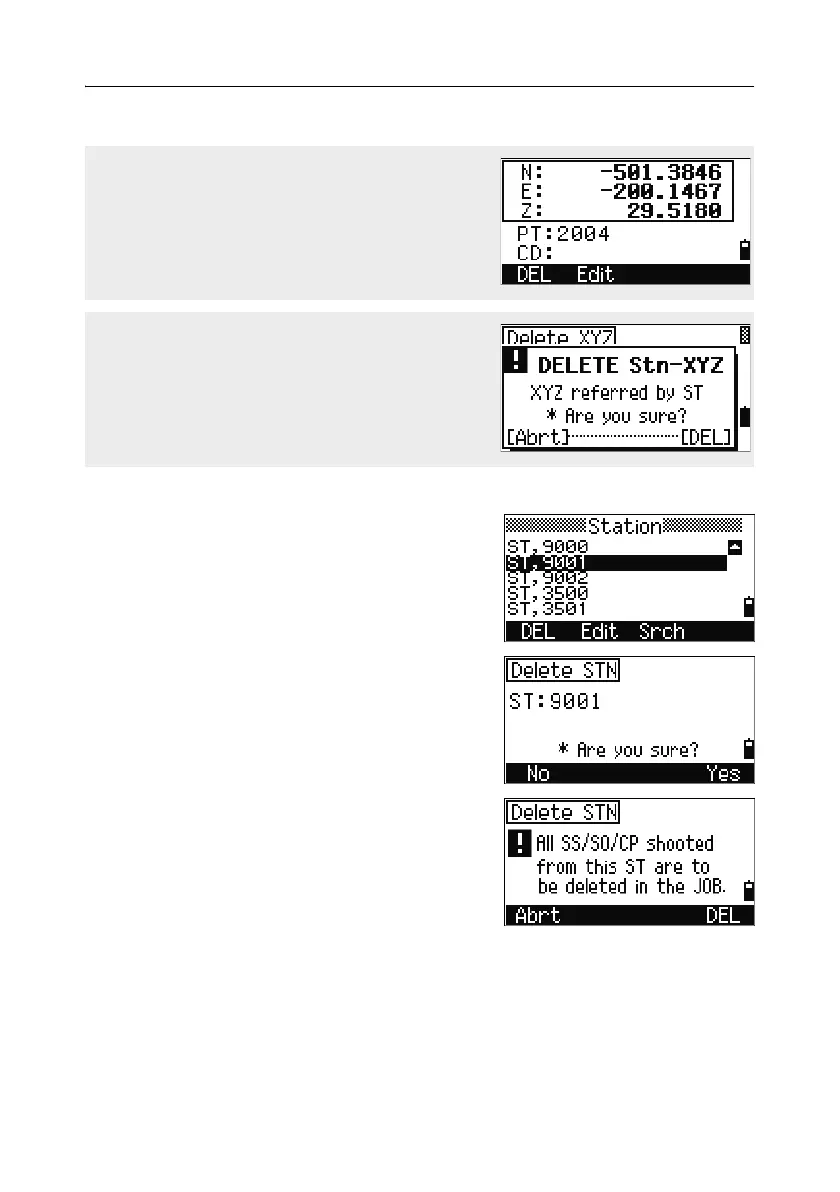
In the Station screen, use [^] or [v] to highlight the
record that you want to delete. Then press the
DEL softkey.
A confirmation screen appears.
Press
[ENT] or the Yes softkey to delete the
selected record.
A reconfirmation screen appears. Press the
DEL
softkey to confirm deletion.
There is no undelete function on the instrument.
Before you press the
DEL softkey, make sure that
you have selected the correct station record. You
cannot press
[ENT] in this screen.
You can also delete coordinate data by pressing
the DEL softkey in the detailed display screen for
the record.
If the record that you want to delete is referred by
an ST record, a confirmation message appears.



 To Next Page