352
Computers: Connecting via Ethernet or Wireless LAN
9
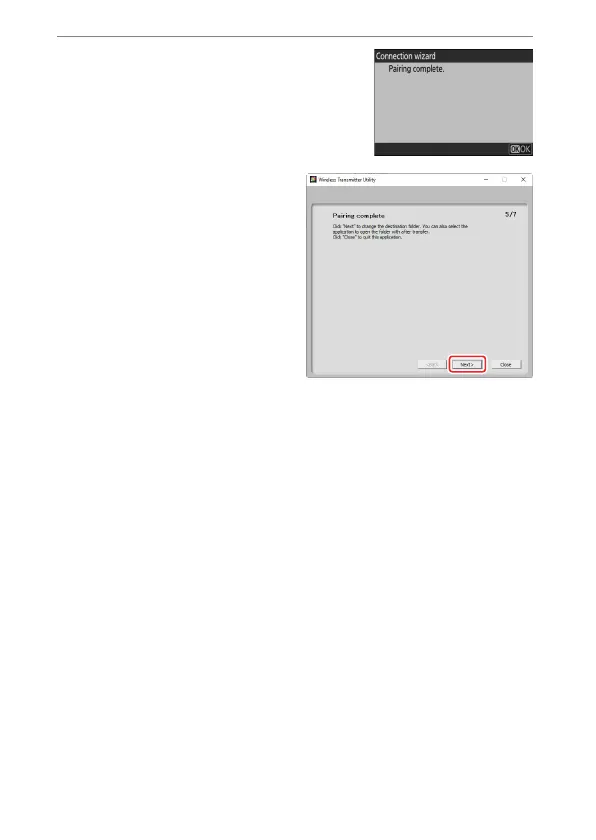
Complete the pairing process.
•
When the camera displays a message
stating that pairing is complete, press
J
.
•
In the Wireless Transmitter
Utility, click [Next]; you will be
prompted to choose a
destination folder. For more
information, see online help
for the Wireless Transmitter
Utility.
•
A connection will be established between the camera and
computer when pairing is complete.


 To Next Page