353
Computers: Connecting via Ethernet or Wireless LAN
10
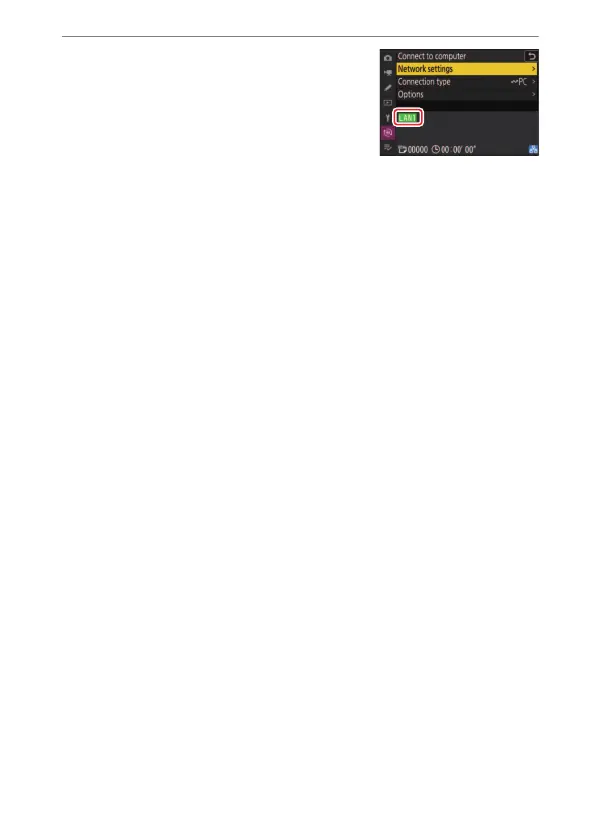
Check the connection.
When a connection is established, the
profile name will be displayed in green in
the camera [Connect to computer]
menu.
A connection has now been established between the camera and
the computer.
Pictures taken with the camera can be uploaded to the computer as
described in“Uploading Pictures” (
0
354).
For information on controlling the camera from a computer using
Camera Control Pro 2, see “Camera Control” (
0
361).


 To Next Page