56
Parts of the Camera
❚❚
The
i
Menu
•
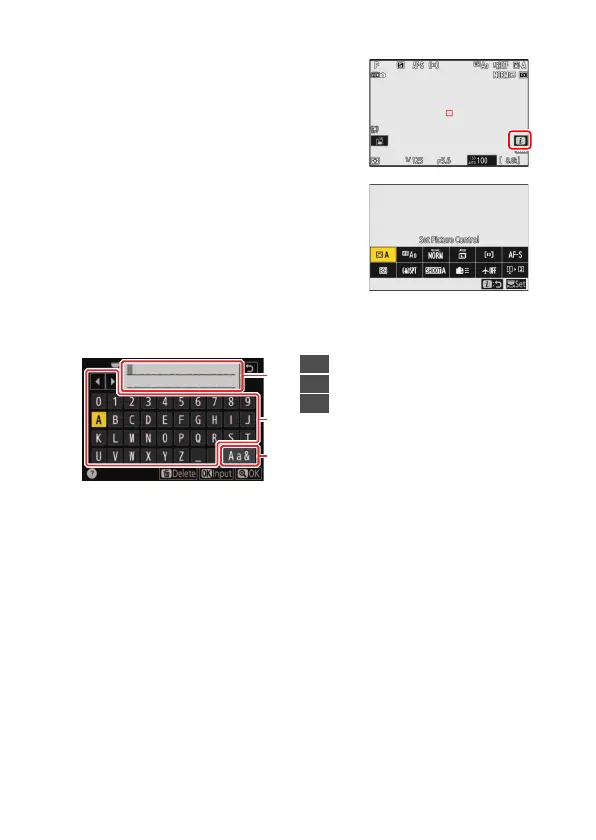
Tap the
i
icon to display the
i
menu
during shooting (
0
65).
•
Tap items to view and change options.
•
You can choose the items displayed in the
i
menu (
0
70).
❚❚
Text Entry
•
When a keyboard is displayed, you can enter text by tapping the keys.
•
To position the cursor, tap
e
or
f
or tap directly in the text display
area.
•
To cycle through the upper- and lower-case and symbol keyboards,
tap the keyboard selection button.
1
2
3
1
Text display area
2
Keyboard area
3
Keyboard selection



 To Next Page