57
Parts of the Camera
❚❚
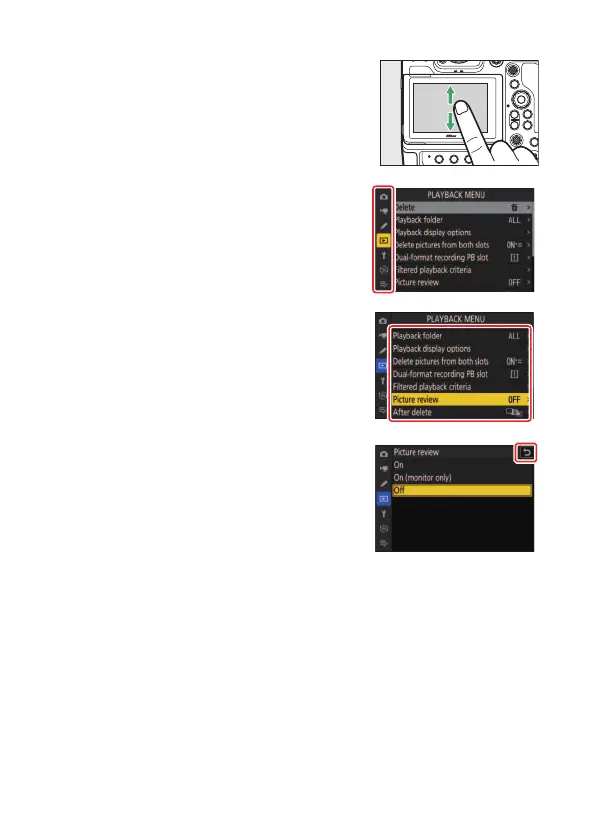
Navigating the Menus
•
Slide up or down to scroll.
•
Tap a menu icon to choose a menu.
•
Tap menu items to display options. You
can then choose the desired option by
tapping icons or sliders.
•
To exit without changing settings, tap
Z
.



 To Next Page