166 Chapter 13 Working with the CallPilot server BIOS
8
While the server is restarting, remove the BIOS update disk from the
server’s floppy disk drive.
9
While the BIOS boot initialization screen is displayed, power down
the server.
10
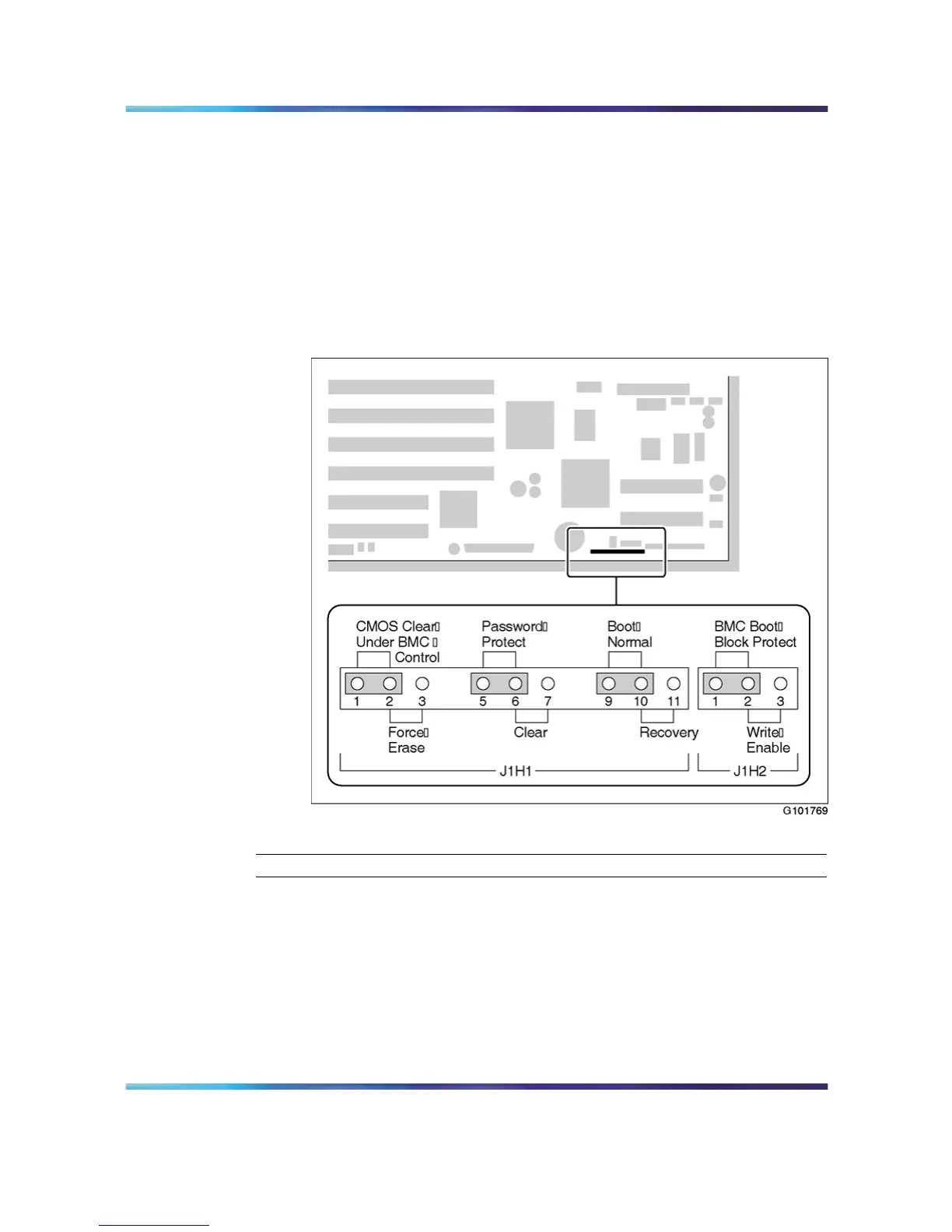
Move the Boot jumper (J1H1) back to pins 9 and 10.
11
Power up the server.
12 Verify that the BIOS version was updated.
Jumper locations and settings
—End—
Nortel CallPilot
703t Server Maintenance and Diagnostics
NN44200-702 01.03 Standard
5.0 3 April 2007
Copyright © 2007, Nortel Networks Nortel Networks Confidential
.











 To Next Page