18 Chapter 3 Troubleshooting your CallPilot system
Interpreting front panel LEDs
This section describes LED states visible on the 703t server front panel.
LED locations
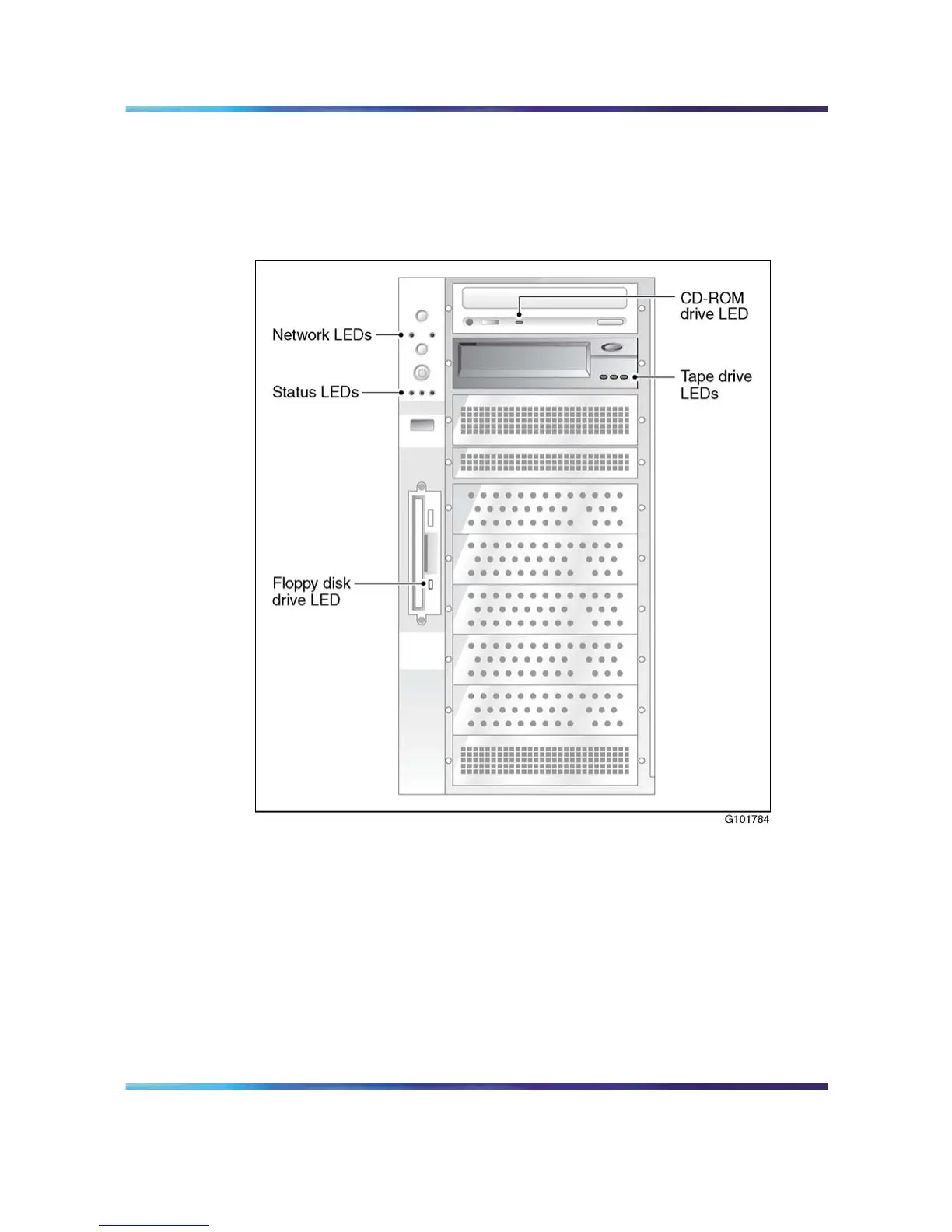
"LED locations" (page 18) shows where the LEDs are located.
LED locations
The server LEDs, from top to bottom and left to right, indicate the status
of the following:
•
the ELAN and CLAN network interfaces
•
hard drive
•
power/sleep
•
system
LEDs are also provided on the SCSI tape drive faceplate, floppy disk drive
faceplate, and the IDE CD-ROM drive faceplate.
Nortel CallPilot
703t Server Maintenance and Diagnostics
NN44200-702 01.03 Standard
5.0 3 April 2007
Copyright © 2007, Nortel Networks Nortel Networks Confidential
.











 To Next Page