84 Chapter 8 Replacing basic chassis components
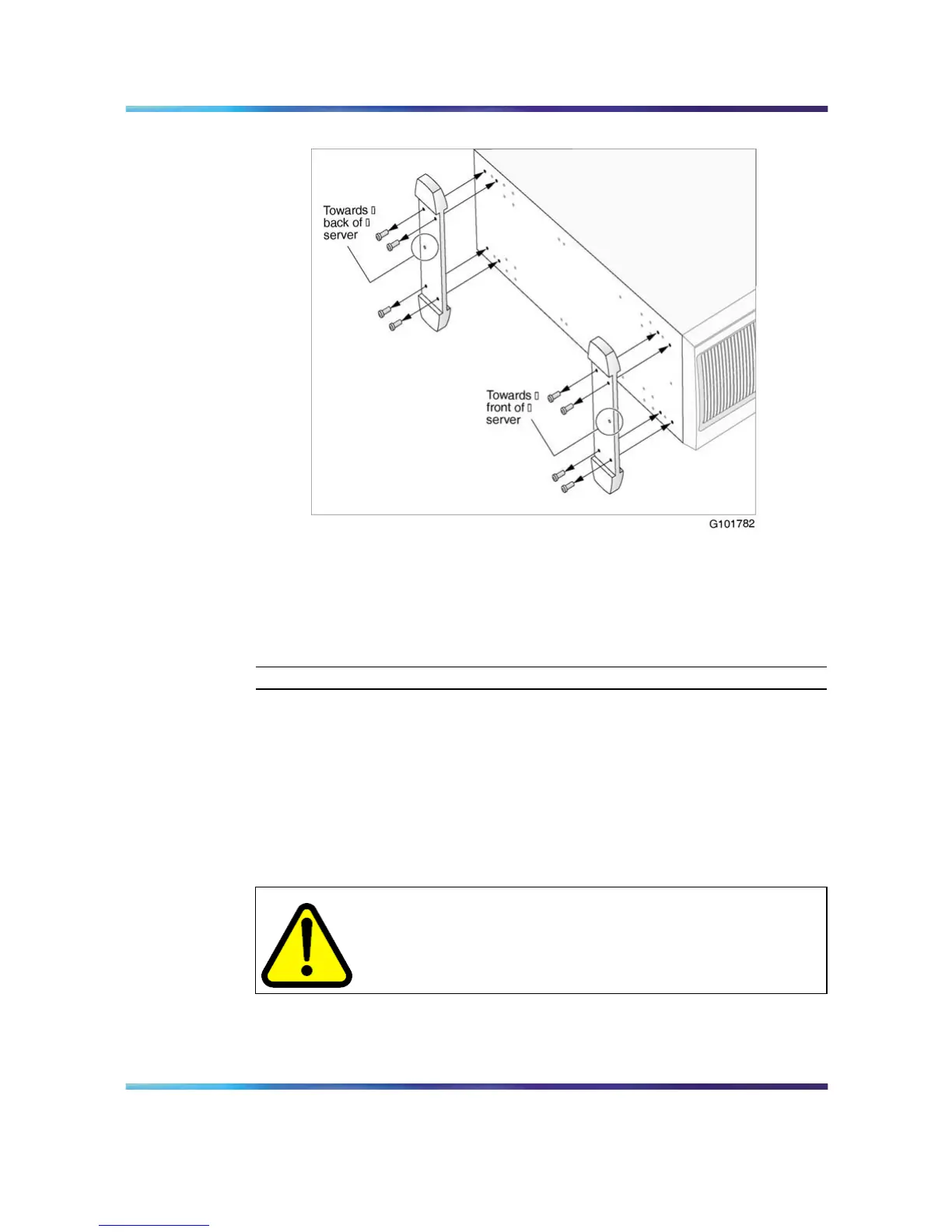
Remove chassis feet
4
Place the server on it’s side.
5
Remove the feet as shown in the above diagram.
6
Continue with "Removing the side cover" (page 84).
—End—
Removing the side cover
This section describes how to remove the server side cover so that you can
work with interior components. The side cover is on the left side of the
server when the server front panel is facing you.
To remove the side cover
WARNING
To prevent personal injury, use caution when you handle the sharp
edges of the side cover and chassis.
Nortel CallPilot
703t Server Maintenance and Diagnostics
NN44200-702 01.03 Standard
5.0 3 April 2007
Copyright © 2007, Nortel Networks Nortel Networks Confidential
.











 To Next Page