92 Chapter 8 Replacing basic chassis components
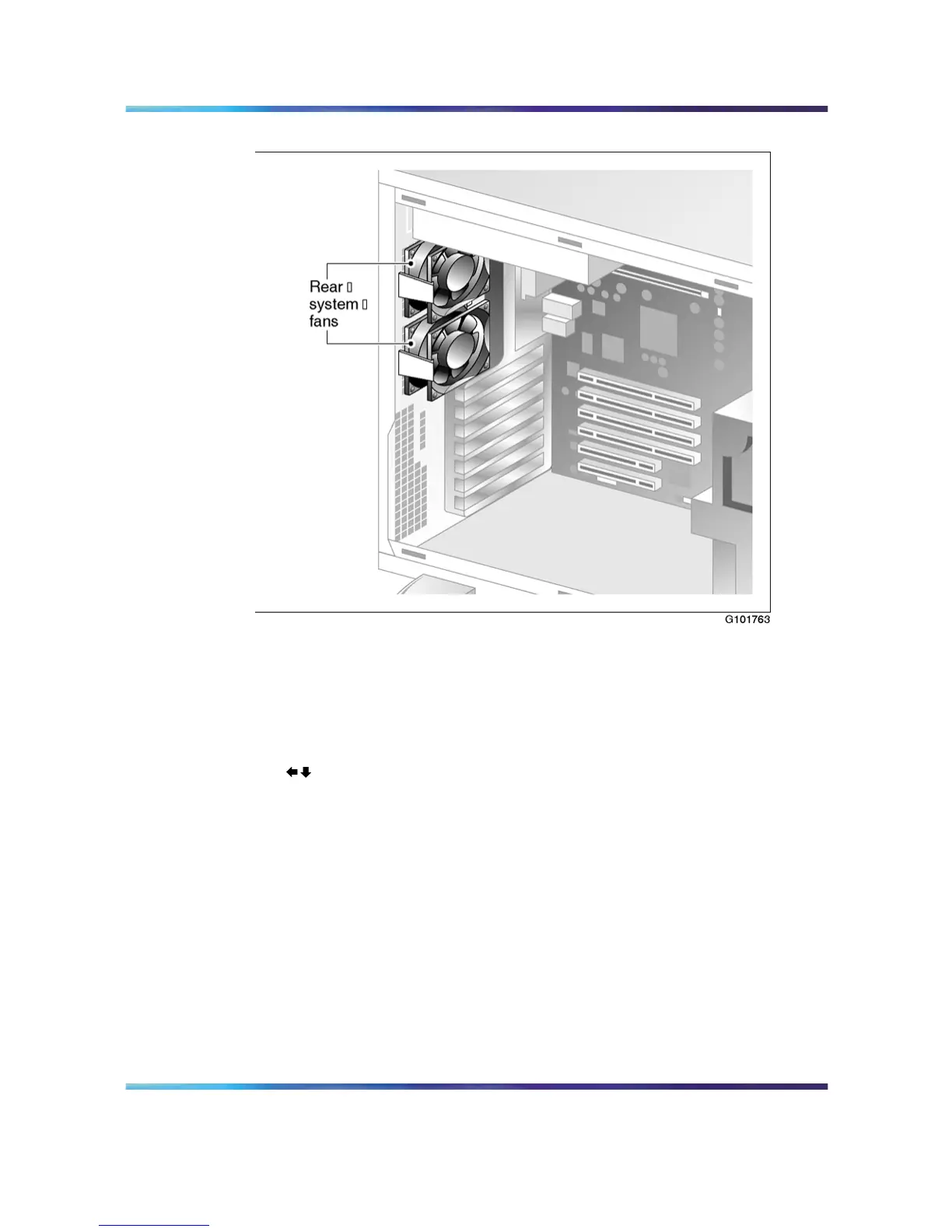
Rear system fans
Fan labels
The following conditions indicate when fans are installed correctly:
•
The printed label of the fan faces the back of the server.
•
The arrows embossed on the fan casing face as follows:
Replacing a front system fan
Replace a malfunctioning fan with the same type as the one removed.
For more information about replacing a fan, contact your Nortel customer
service representative.
Note: The fan replacement kit contains four fans: two front fans and
two rear fans.
Nortel CallPilot
703t Server Maintenance and Diagnostics
NN44200-702 01.03 Standard
5.0 3 April 2007
Copyright © 2007, Nortel Networks Nortel Networks Confidential
.











 To Next Page