Removing the side cover 85
CAUTION
Use an ESD wrist strap to protect static-sensitive components.
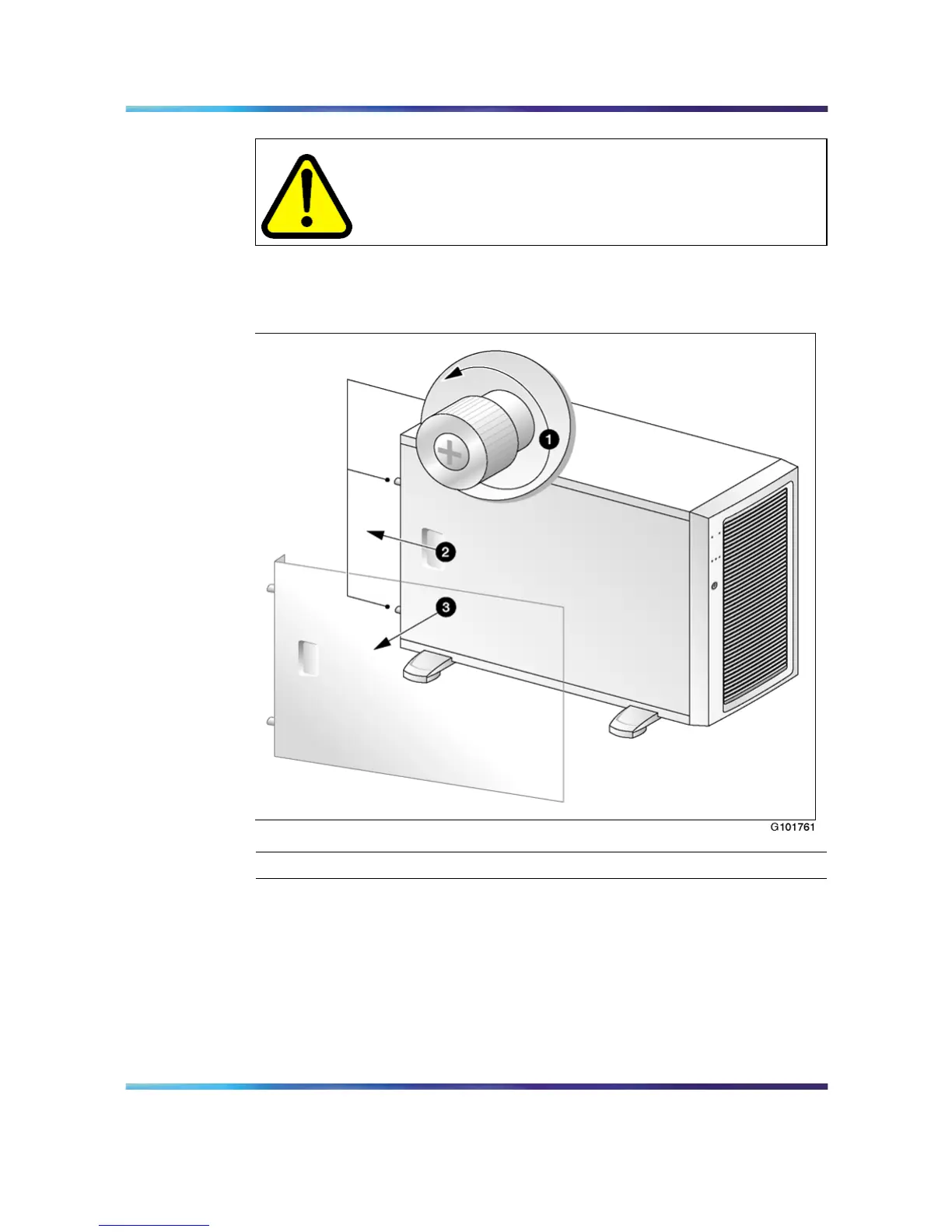
"Remove server side panel" (page 85) shows how to remove the side cover.
See the following instructions for removal.
Remove server side panel
Step Action
1
Tur n the two thumbscrews on the back of the server
counter-clockwise to loosen them.
Note: The thumbscrews are not removable.
If a removable screw is present, remove it. This screw secures the
cover to the server during shipping.
Nortel CallPilot
703t Server Maintenance and Diagnostics
NN44200-702 01.03 Standard
5.0 3 April 2007
Copyright © 2007, Nortel Networks Nortel Networks Confidential
.











 To Next Page