70 Chapter 6 Using CallPilot Manager to monitor hardware
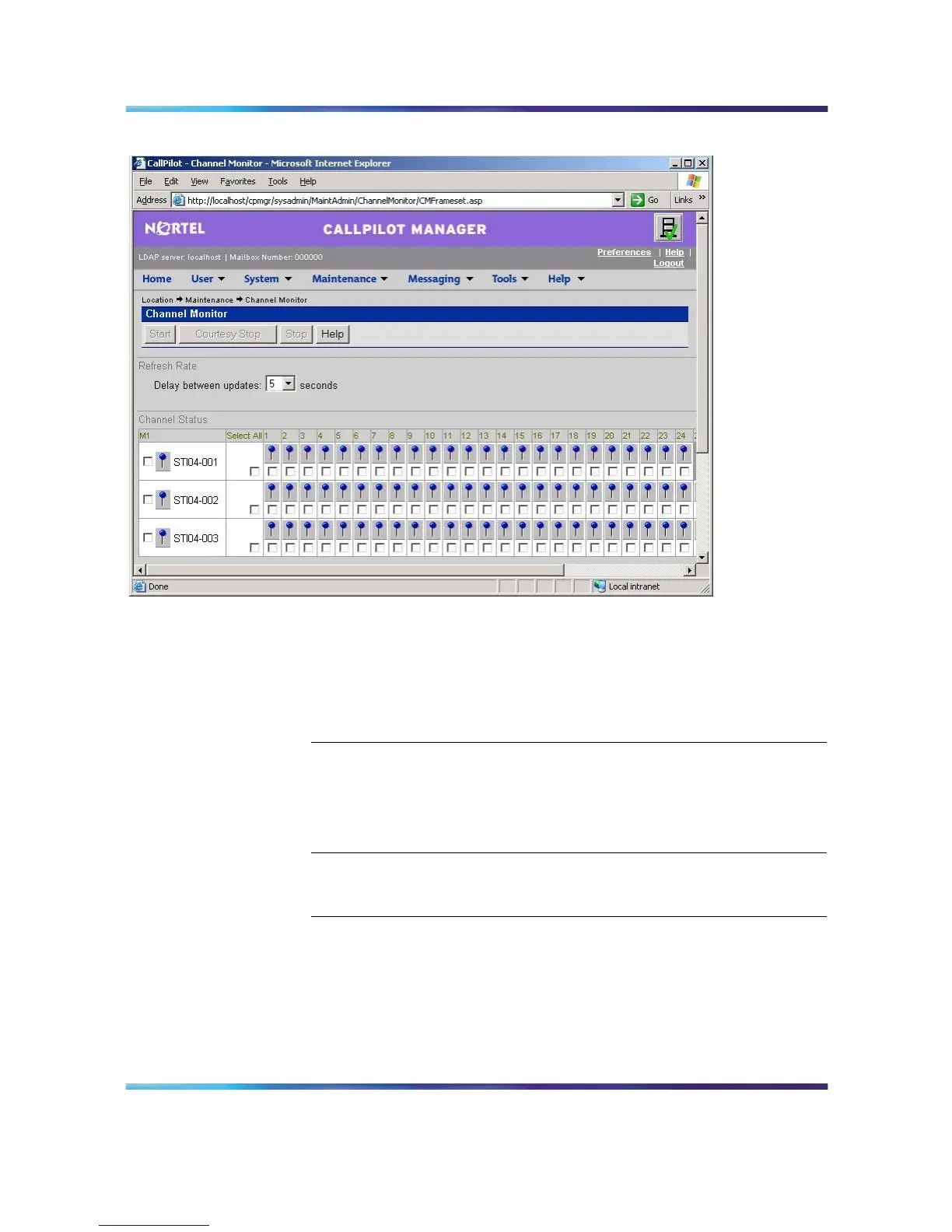
Channel Monitor
Note: For an explanation of the channel states, refer to the
CallPilot Manager online Help.
3
Do one of the following:
IF you want to stop or start THEN
all of the channels associated with
a link
check the check box to the left of
the link that you want to stop or
start.
Repeat this step for each link.
only one or several channels that
are associated with a link
check the check box for each
channel that you want to stop or
start.
4
Click Courtesy Stop, Stop, or Start, as required.
Result: If you clicked Courtesy Stop or Stop, you are asked to
confirm the Courtesy Stop or Stop. Click OK.
The selected channels change to idle or on-duty status, according
to the action you chose.
Nortel CallPilot
703t Server Maintenance and Diagnostics
NN44200-702 01.03 Standard
5.0 3 April 2007
Copyright © 2007, Nortel Networks Nortel Networks Confidential
.











 To Next Page