The Intelligent Surveillance Solution
NUUO NVR/DVR/Hybrid NDVR System
- 79 -
Automatic Synchronize Windows User Setting
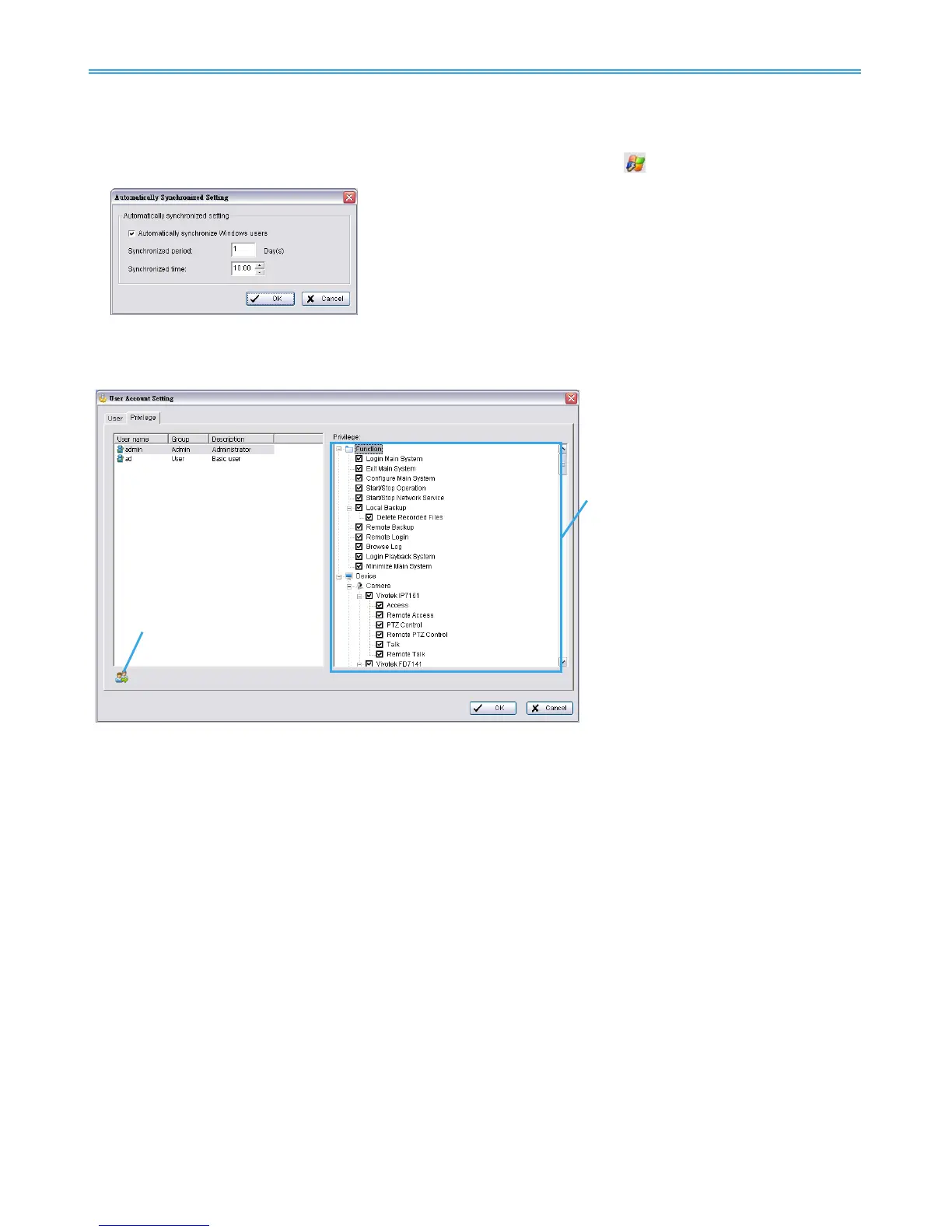
Instead of manually adding and updating Windows users, you may also configure the system to
automatically synchronize all Windows users at a specific period. Click on
to do this.
Automatically synchronize Windows users:
Check to enable automatic synchronization.
Synchronized period:
Configure the synchronization to start every ___ days.
Synchronized time:
Define at what time the synchronization should start.
Note: Auto synchronization will apply all default solutions to conflicts.
Privilege: Define detailed privilege of functions and devices for each user account.
Function: Configure settings, operation related, system configuration, and privilege of remote access.*
Device: Configure device privileges of camera, digital output and metadata sources in Main Console
and client applications.
Copy Privilege to…: Click on this button to copy privilege settings of any account to another.
Note: The privilege of default admin account is not configurable.
“Setup TV-Out function” is not available if there is no SCB-7108/7116 card installed.



 To Next Page