Y100250-4
3-18
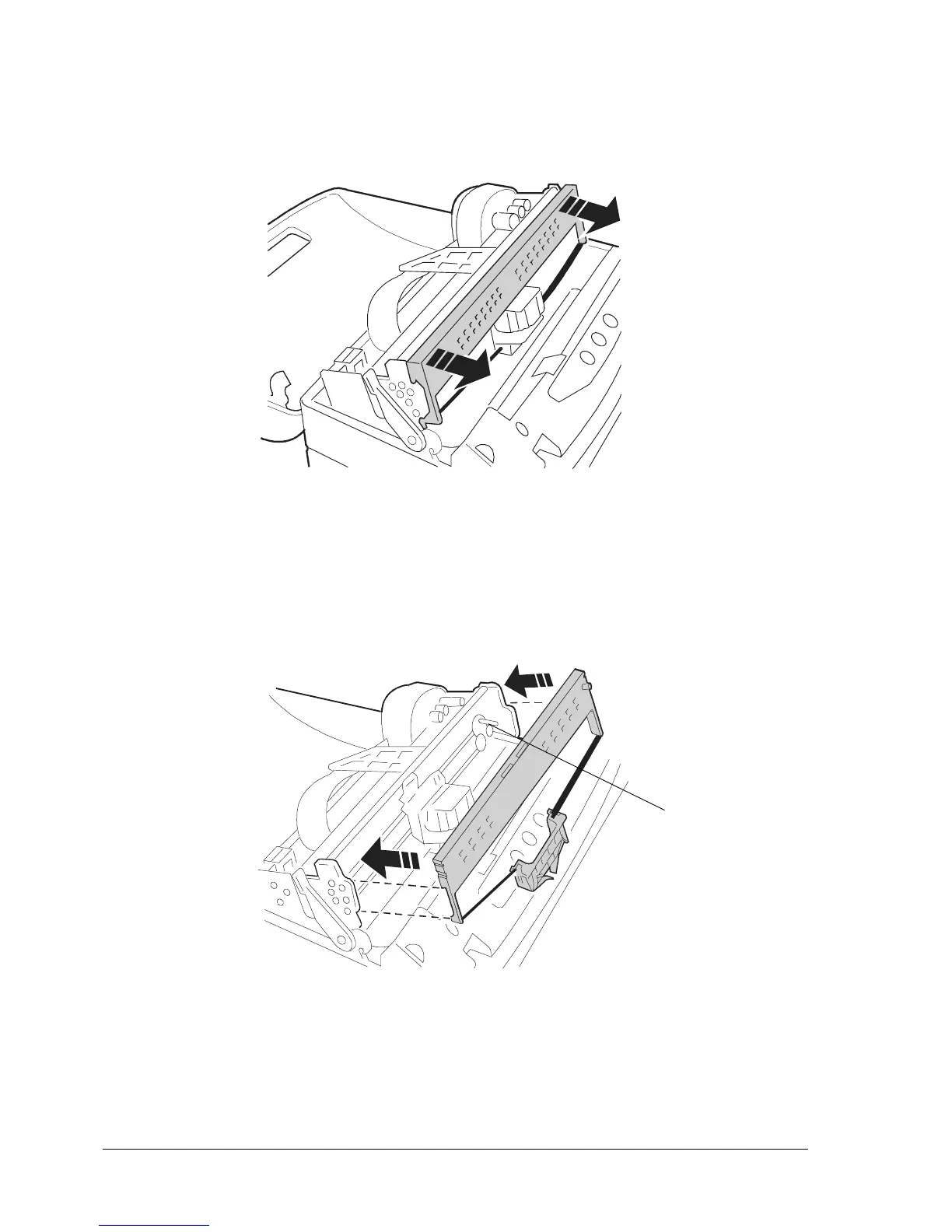
- Push the ribbon guide downwards until it releases from the print carriage.
- Remove the old cartridge by pulling it outwards.
Fig 3-17 Removing the Ribbon Cartridge
- Insert the cartridge into the feed gears, hooking it on the two sides and making sure to insert pin (1)
into the related hole of the ribbon feed knob.
Fig. 3-18 Inserting the Ribbon Cartridge
1



 To Next Page