Manual Version e1-4.3.0.ae-R3. Page
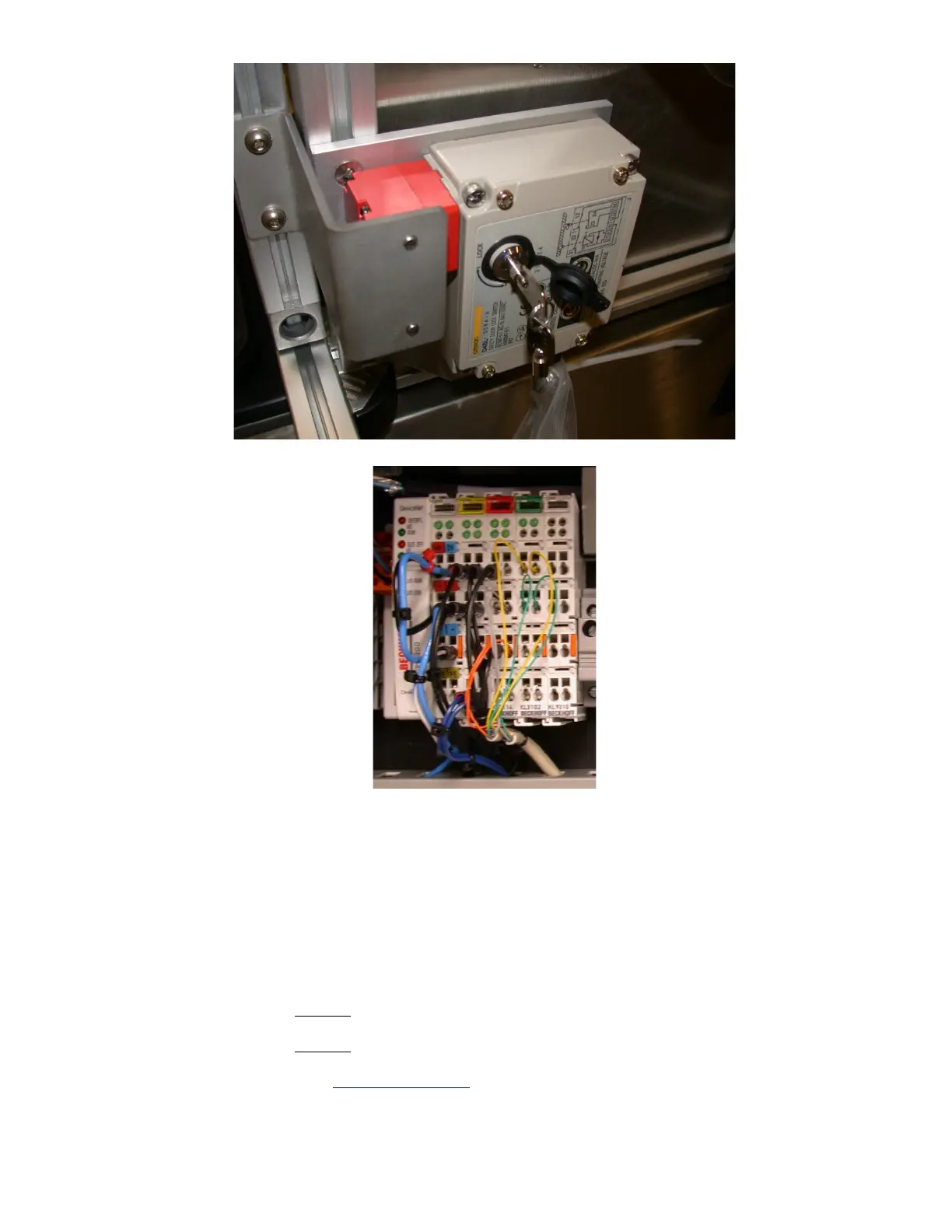
Figure 51. Ventilation shroud interlock with key to override lock.
Figure 52. I/O signals are communicated via this unit to the PC.
6.16 System startup through Normal issues
If the software startup through the Normal starup procedure does not complete within 1 hour of starting
the software, there may be a problem. Please follow the below steps:
1. Be certain that the system (not the computer) has been powered on for more than 4 hours
2. The room temperature should be less than 75 deg. F (24 deg. C). Reduce the room
temperature to achieve this and wait for 1-2 hours.
3. If the problem is not solved by this point, record the pressure reading values of:
Main Chamber:
Torr
Exp. Chamber:
Torr
email these values to
suppor@xactix.com . Continue on with the procedure.



 To Next Page