Manual Version e1-4.3.0.ae-R3. Page
4.7 Initial Start-up
4.7.1 Safety verification
At this point, verify the following points:
a) Exhaust ventilation is on and all system exhaust including that for the vacuum pump is properly
installed.
b) Dry compressed air pressure is between 70 and 100 psi
c) Nitrogen pressure is between 10 and 20 psi at the process connection
d) Nitrogen is flowing in through the gas box purge connection
e) Power is available to the system.
f) Emergency Stop button (EMO) is pulled out on both the system and the power control box.
4.7.2 Power Up and EMO reset
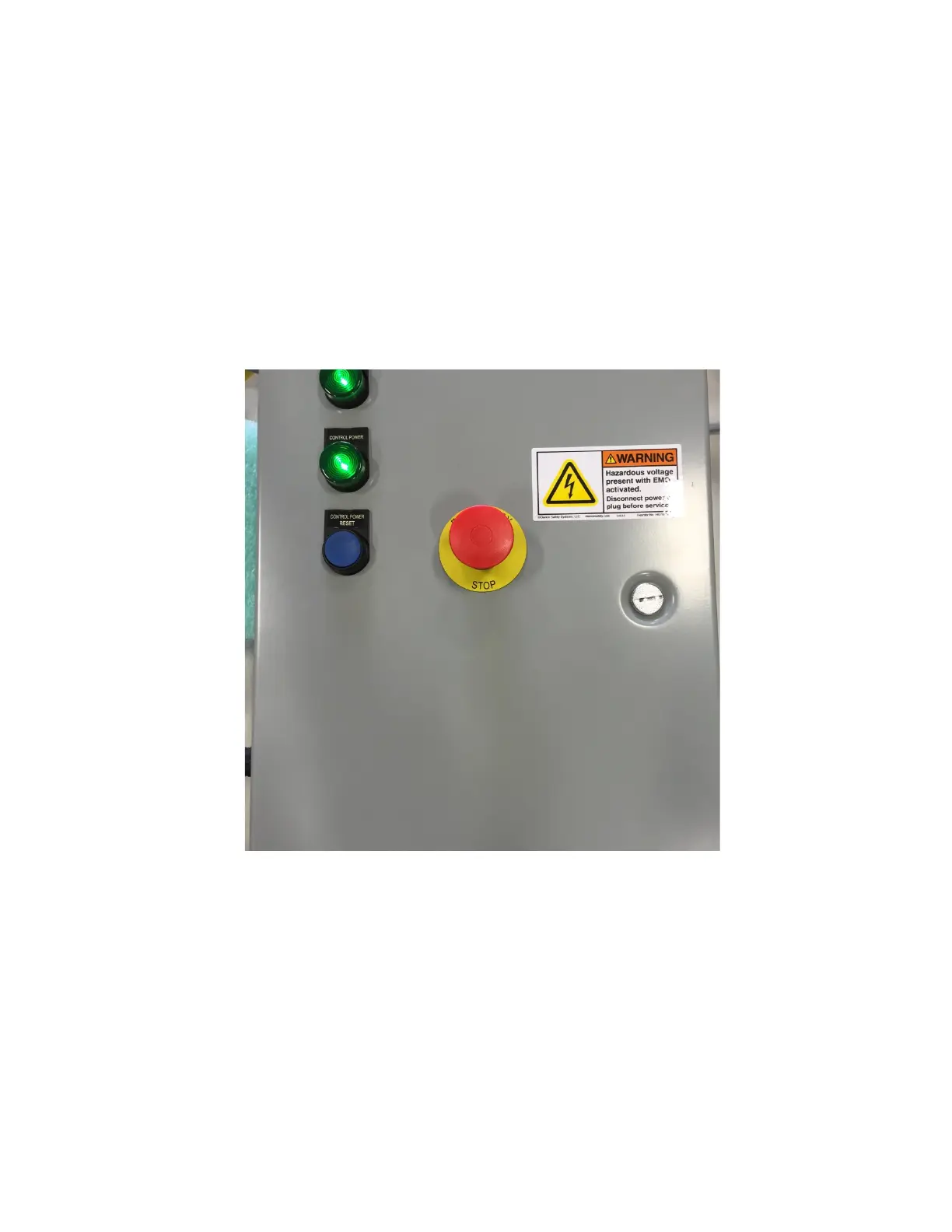
Figure 27. Power control box with indicators and control power reset.
First, examine the box shown in Figure 27 which is inside of the front system panel. The top light, LINE
POWER, should be lit which indicates there is 100-120 VAC (or optional 220-240 VAC) to the system.
The lower light, CONTROL POWER, should initially not be on. This light indicates that the power that
controls the system components is on. To turn on the CONTROL POWER, press the CONTROL
POWER RESET button. CONTROL POWER should remain on except if any of the following situations
occur:
• If the Emergency Stop button is pressed (either on the system or on the pump controller box)
• If there is a loss of power to the system
In these situations, resetting the CONTROL POWER as described above will be necessary.
As long as there is CONTROL POWER, the system power can be controlled using the Green (on) and
Red (off) buttons on the front of the system as shown in Figure 28.



 To Next Page