Manual Version e1-4.3.0.ae-R3. Page
At the bottom left side of the main menu are buttons for viewing the e1 Series Log, changing the user’s
password, and logging out.
The log shows all of the operations that have been recently performed. The log can also be useful for
accessing etch information, such as the exact start and end times of a run.
The change password button allows a user to change their password by entering their username and
previous password.
The log out button is used to exit the system. A prompt will appear once the button has been pressed
inquiring if the user wishes to log out. Once the log out has been completed the system returns to the
login screen.
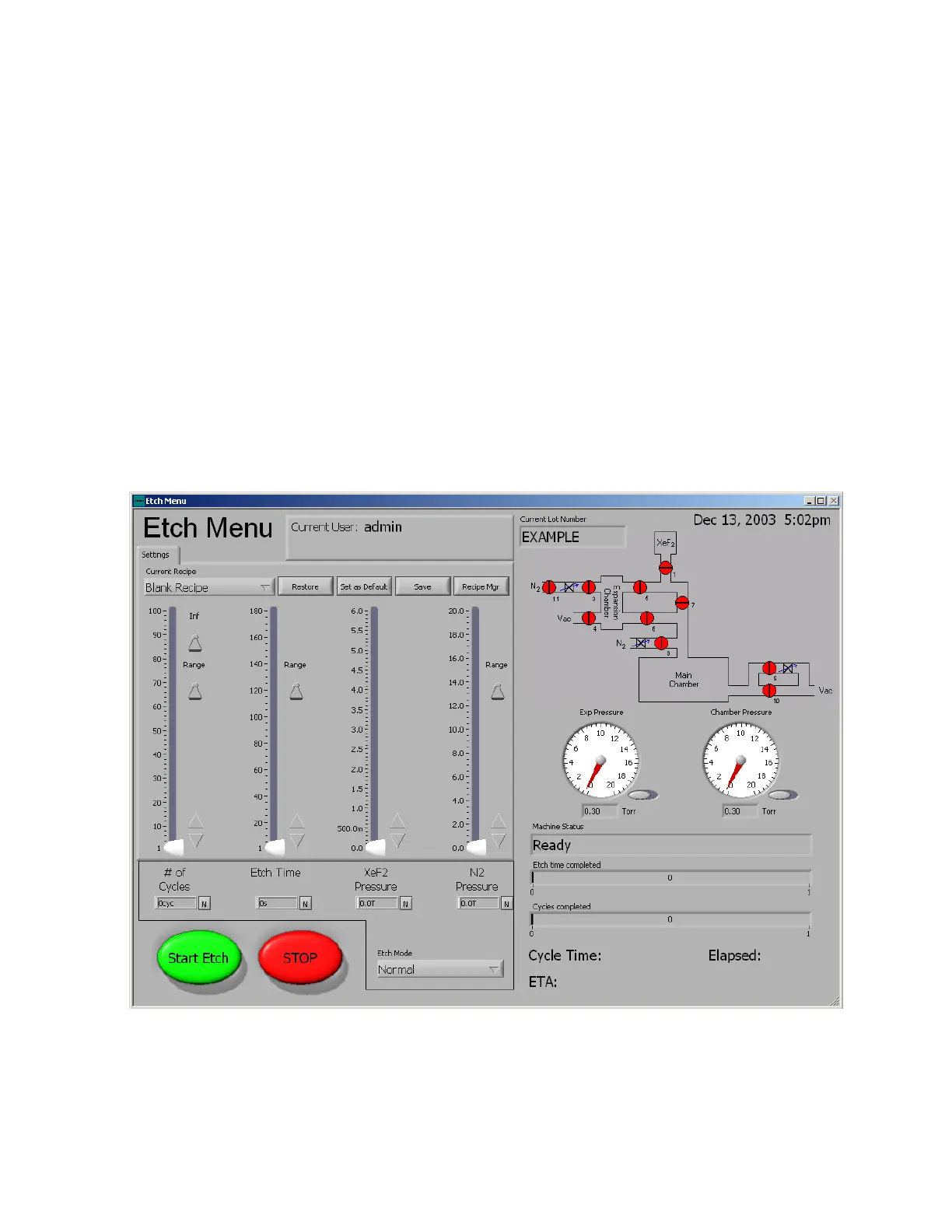
Parameters for the etching modes can be set by adjusting the sliders, tapping the up and down arrows,
or direct entry by pressing the N button. Also, many parameters have a range button that allows the
sliders to span a wider range of values if needed.
5.3.5 Performing an Etch in the Normal Mode
Normal mode is the standard etching mode and its screen is shown below:



 To Next Page