Manual Version e1-4.3.0.ae-R3. Page
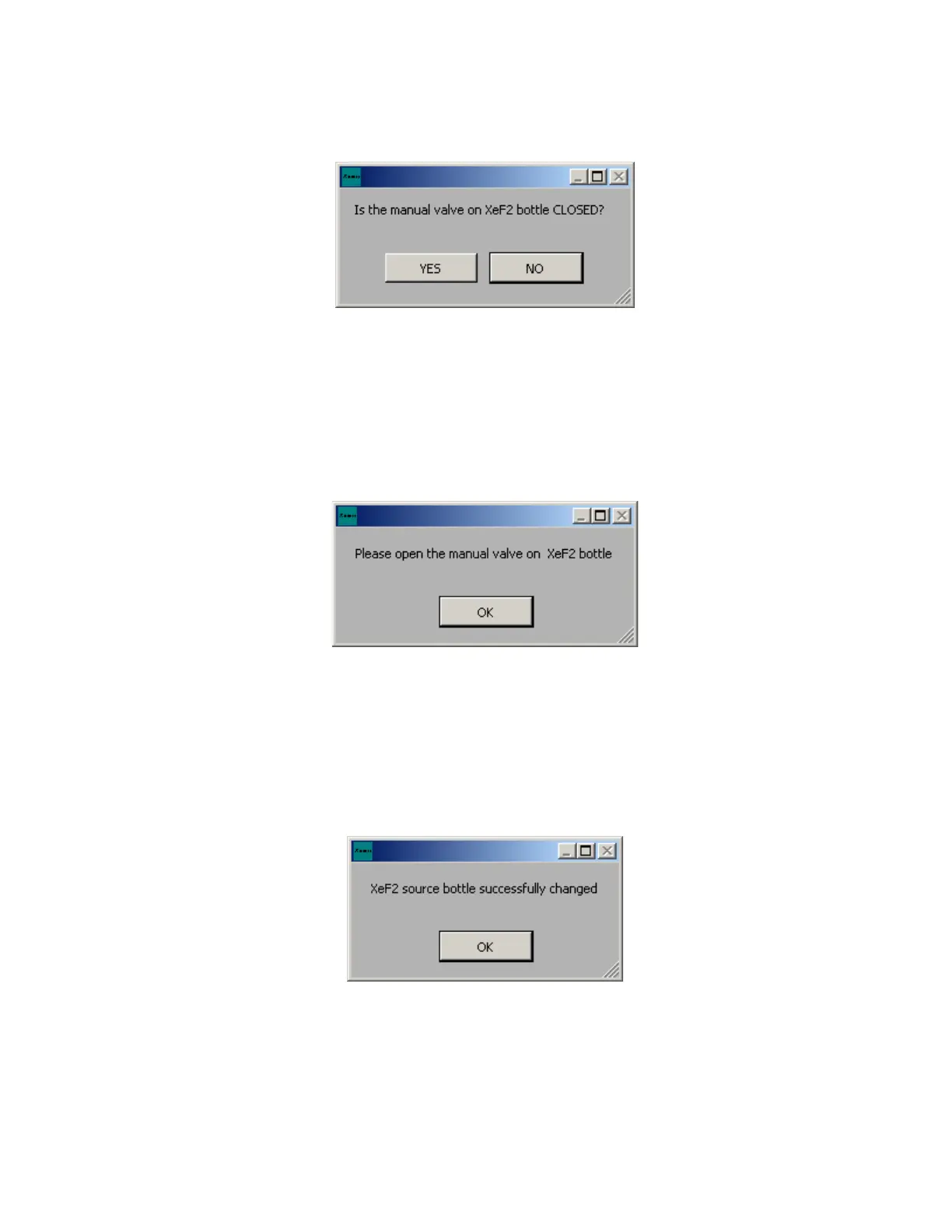
The e1 Series will ask you to double check that the manual valve is closed on the bottle. When positive
that valve is closed click “YES”. If you decide not to change bottle and continue, click “NO”. If NO was
selected you will be to the previous screen and must click “YES” once bottle is removed, refilled, and
replaced.
Once again, the e1 Series will purge the lines to ensure a clean system before any XeF
2
is present, and
leak test fittings to ensure a proper seal. If the seal leaks, a failure prompt will appear. Recommended
steps would be to restart the leak-test up to three times by clicking yes, then check that the female nut
is sufficiently tight. If leak still exists, replace the gasket.
If leak-test is passed Click “YES”, and you will be prompted as shown to open manual valve on bottle.
Turn manual valve counter clockwise to open. Click “OK” when task is complete.
At the end of the bottle change, the software will request the mass of the XeF
2
in the replaced cylinder.
This information will be used to issue and optional warning if the XeF
2
is estimated to be running low.
6.6.3 Completing Bottle Change
If the e1 Series accepts all parameters the bottle will then have been changed successfully. Click “OK”
as illustrated on the prompt screen below.
If it is desired to test the integrity of the bottle and valve connection and the bottle valve, it is suggested
to run the procedure described in Section 6.17.2.



 To Next Page