Page 5-14
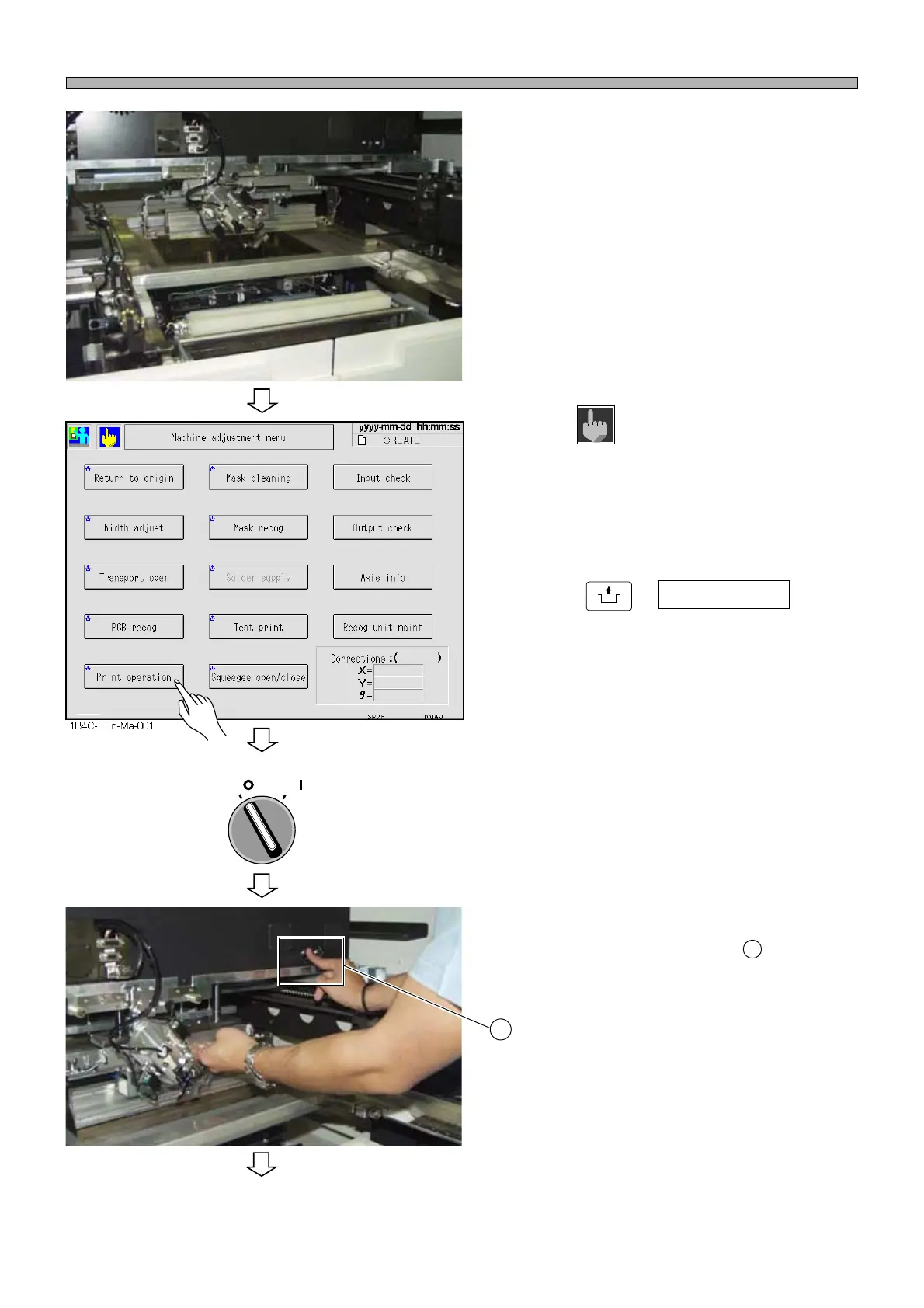
2. Set the mask.
3. Press on the Main menu screen.
• The Machine adjustment menu screen is
displayed.
4. Press
UNLOCK
+ Print operation on the
Machine adjustment menu screen.
• The Print operation screen is displayed.
• The lift rises.
5. Turn OFF the servo switch.
6. Open the safety cover.
7. Slowly pressing the squeegee verti-
cal-lock releasing button , lower the
F and R squeegee to the mask.
Procedures for Using Advanced Squeegees (Option)
1E4C-E-OMA05-A01-01
1D3C-052P
1D3C-053P
To the next page
OFF ( )
ON ( )
SERVO
Machine
adjust
1
1












 To Next Page