Service Manual 11 Electrical Equipment
11.3 Display PC
1/09 PERFECTA 115 / 132 / 168 / 225 – TS 72
PERFECTA Schneidemaschinenwerk GmbH D-02625 Bautzen Schäfferstr. 44 Tel.: +49-3591-556-131 to -133 Fax: +49 3591-556-139
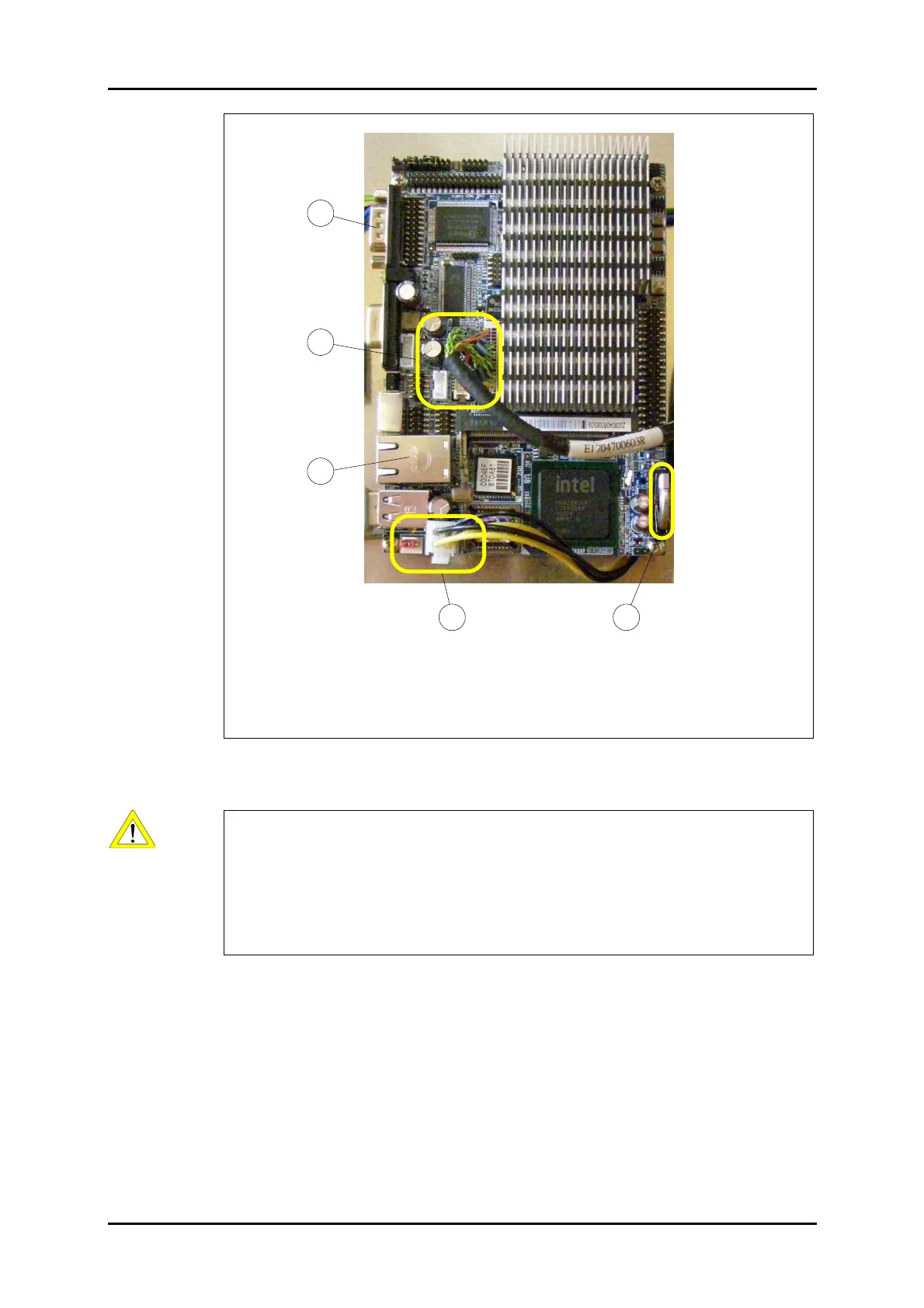
1 Serial port for the control module
2 Display connector
3 Network port
4 PC power supply connection
5 PC backup battery (Caution: Do not touch.)
Figure 52: PC unit.
Caution:
Do not touch the backup battery (item 5 in Figure 52).
If you interrupt this power supply the BIOS settings will get lost.
If this is the case, you can connect a USB keyboard to restore the BIOS settings.
To do so, power up the machine while holding the "DEL" key pressed.
54
2
1
3



 To Next Page