Service Manual 11 Electrical Equipment
11.3 Display PC
1/09 PERFECTA 115 / 132 / 168 / 225 – TS 73
PERFECTA Schneidemaschinenwerk GmbH D-02625 Bautzen Schäfferstr. 44 Tel.: +49-3591-556-131 to -133 Fax: +49 3591-556-139
11.3.2 BIOS settings
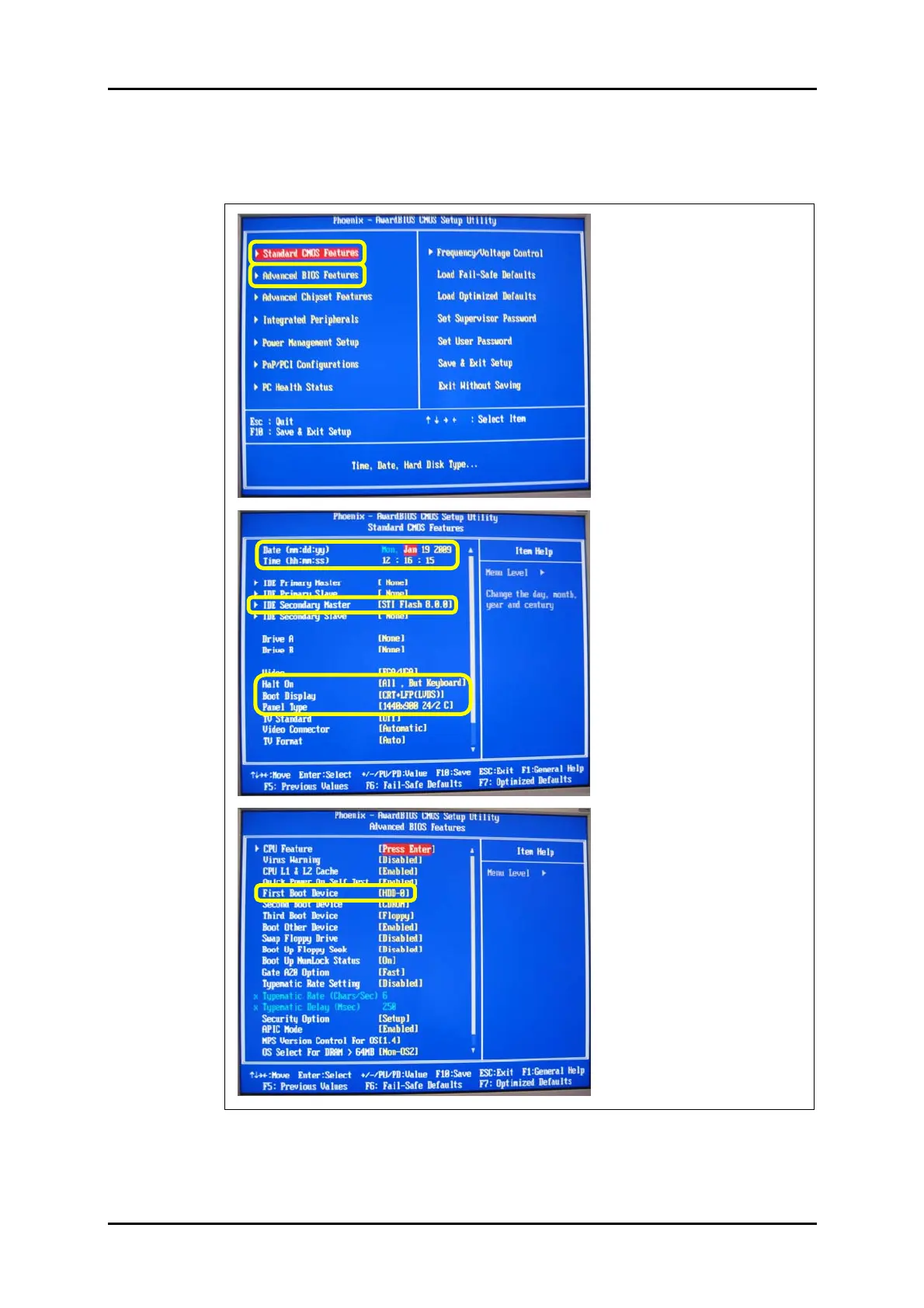
Set the BIOS as shown on the following screens.
The settings to be changed are marked yellow.
BIOS start screen
Standard CMOS Features
Advanced BIOS Features
Figure 53: BIOS setting menus.



 To Next Page