Service Manual 11 Electrical Equipment
11.5 Software
1/09 PERFECTA 115 / 132 / 168 / 225 – TS 84
PERFECTA Schneidemaschinenwerk GmbH D-02625 Bautzen Schäfferstr. 44 Tel.: +49-3591-556-131 to -133 Fax: +49 3591-556-139
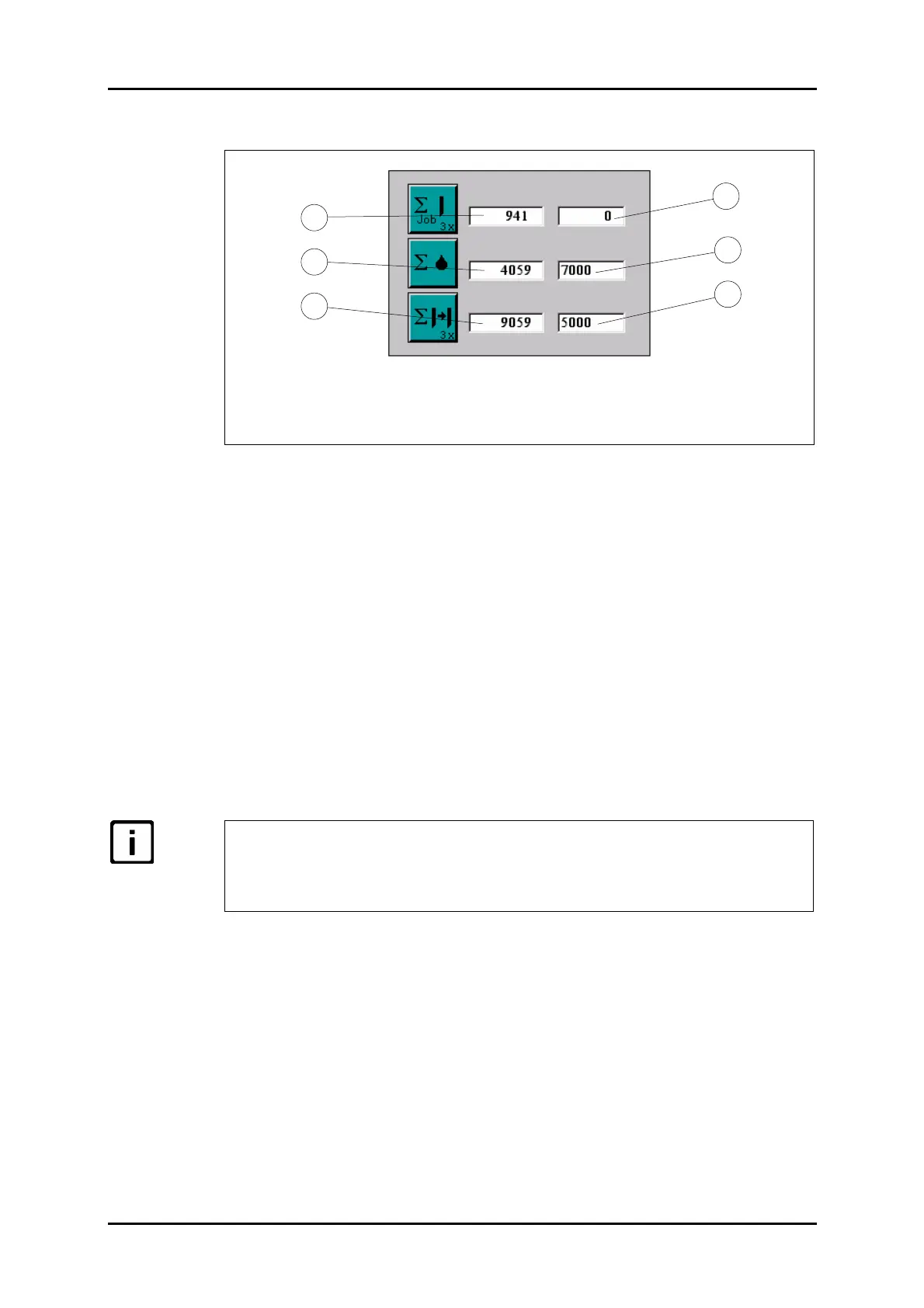
11.5.4 Operations counter
1 Total number of cuts
2 Lube cycle counter
3 Knife change counter
4 Daily cut counter
5 Lube cycle setpoint
6 Knife change setpoint
Figure 56: "Operations Counter" menu.
Total number
The total number of cuts will only be displayed and cannot be changed.
Daily cuts/lube cycle/knife change
Here you can set your own three values.
- The daily cut counter is an up-counter that you can reset to "0000" at the beginning
of your shift if you press the "Daily Cut Counter" key three times.
- The lube cycle and knife change counters are down-counters and will raise the mes-
sages "Please lubricate" or "Change knife", respectively, when they have reached a
count of "0000". You can press the respective keys three times to bring them to
their predetermined setpoints. This will be necessary at regular intervals after
these messages have appeared in order to confirm that you have followed the in-
structions and to avoid continuous repetition of the message after execution.
You can use the corresponding keys to alter the daily cut counts, the lubrica-
tion cycle counts and the number of knife changes.
All three values refer to the number of cuts made.
(Defaults: lubrication cycle counter = 7000; number of knife changes = 5000.)
4
6
5
2
3
1



 To Next Page