Service Manual 11 Electrical Equipment
11.5 Software
1/09 PERFECTA 115 / 132 / 168 / 225 – TS 83
PERFECTA Schneidemaschinenwerk GmbH D-02625 Bautzen Schäfferstr. 44 Tel.: +49-3591-556-131 to -133 Fax: +49 3591-556-139
Set measuring system
This function facilitates correction of the actual measurement. Use this function to
correct the real cutting position.
You can correct the current cutting position at any position.
How to correct the "actual measurement":
• Cut a parallel strip (for example 7 cm wide) by making a first cut, then turning it 180°
followed by a second cut.
• Measure this strip and enter this measurement as your "desired measurement"
(e. g. 6.995 cm).
• Open the "Settings" menu.
• Hold the left-hand cut-release pushbutton pressed and actuate the "Set Measuring
System" key.
This will save your corrected measurement.
The maximum difference between the desired and actual measurements may
be 10 mm. Otherwise, the machine will deny saving such measurement. In
such case, shift calibration range sensor B39 first to bring the machine's
measuring system into the required tolerance range.
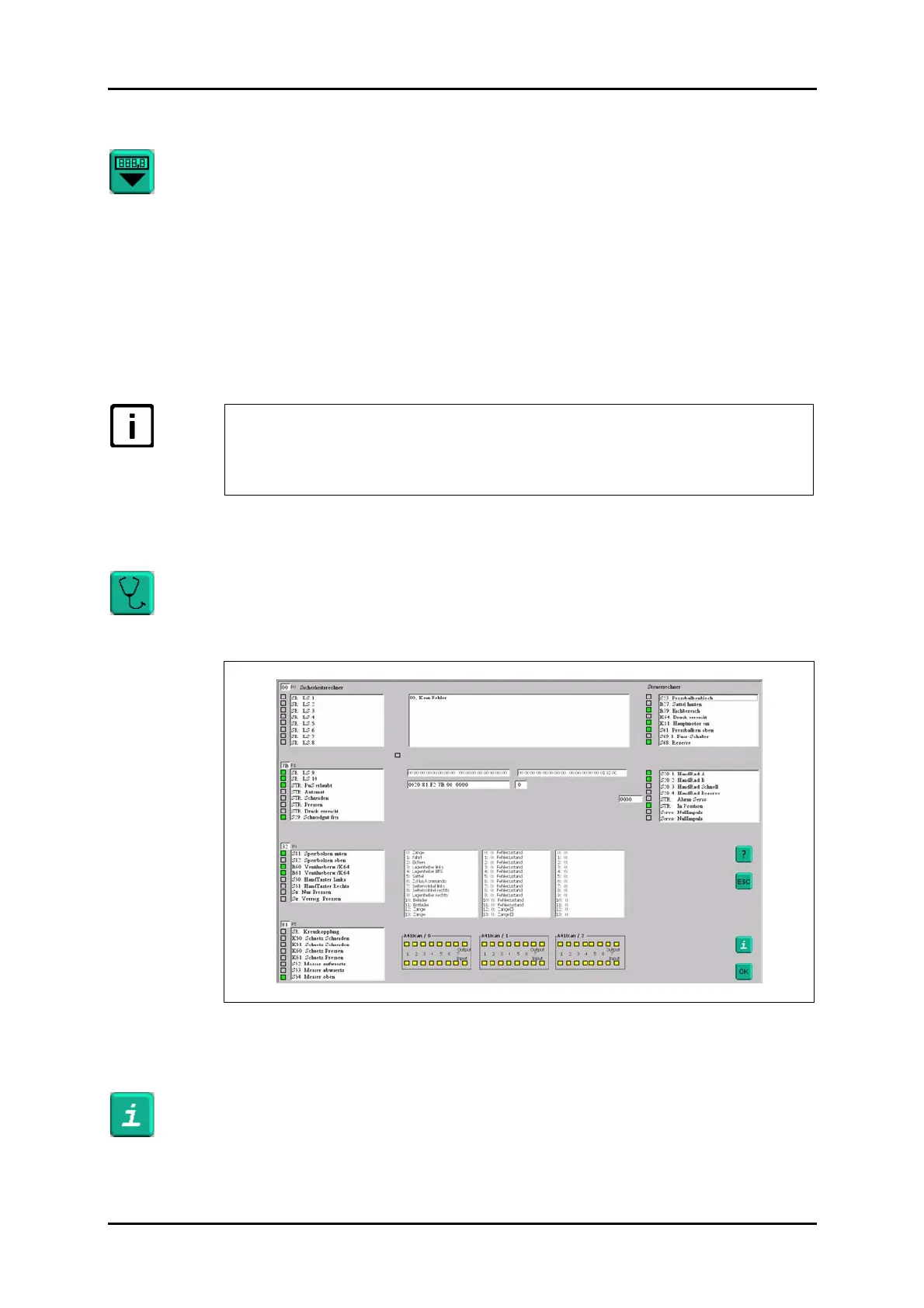
11.5.3 Diagnostic function
The "Diagnostic" function indicates any possible error state of the machine and the
statuses of the existing inputs and outputs.
For a list of possible error messages and their explanations, please refer to "Error
messages".
Figure 55: "Diagnostic" menu.
(Green = active, grey = inactive, yellow = N/A, red = error)
You can use the "Info" key to display some information on the software versions in-
stalled on your PC as well as on the control and safety modules.



 To Next Page