235
Polyend Tracker Manual
234
Polyend Tracker Manual
NOTESNOTES
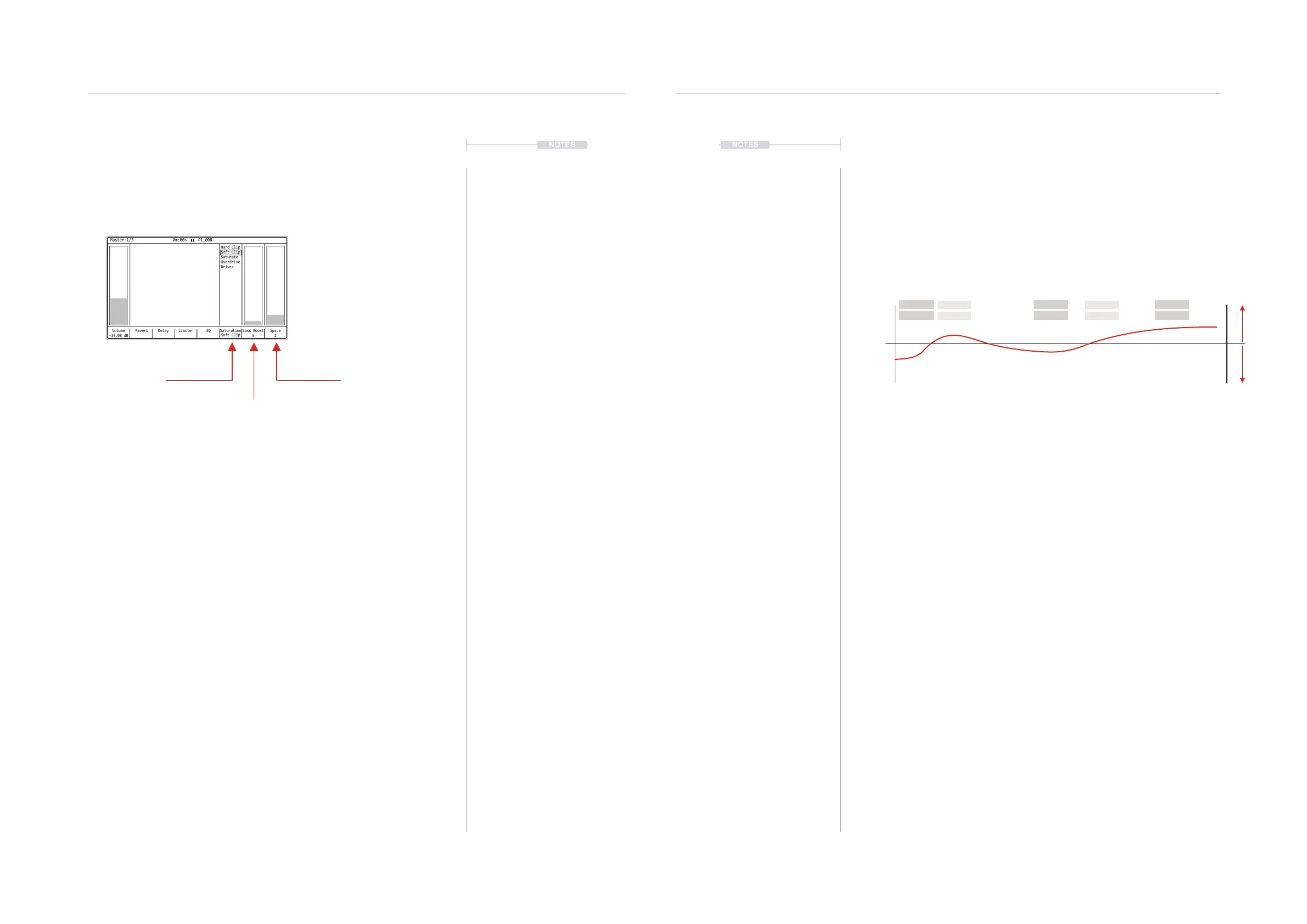
10.6 Saturation, Space & Bass Boost
Saturation, Space and Bass Boost are simple effects each carrying one
parameter that adjusts the amount of effect applied into the main audio out
or in the case of saturation, sets the dened preset.
Saturation is the rst effect in the entire master chain. This is selects from 5
preset options for subtle distortion. The space option, ranges 0-8 and is a
widener enhancing the stereo image. Bass boost has a 0-100% range with
represents approx 0-5 dB. This enhances the bass frequencies around 80
Hz, which can be subtle on some material. Both will be applied based on
taste so try tweaking and adjusting on different songs to nd the sweet spot
for the material and track.
▌ ADJUSTING THE BASS BOOST / SPACE PARAMETERS
1. Press [Master] to select master section. Press again if needed until the
‘Master’ Page 1/3 is displayed.
2. To select the effect:-
• Press [Saturation], 6
th
Screen button
• Press [Bass Boost], 7
th
Screen button
• Press [Space], 8
th
Screen button
• The (Left) or (Right) buttons also navigate and select.
3. Turn (Jog) or Press [Up] or [Down] to adjust the setting.
Volume
-33.08 dB
Reverb Delay EQ Saturation
Soft Clip
Hard Clip
Soft Clip
Saturate
Overdrive
Drive+
Bass Boost
5
Limiter Space
1
Master 1/3 0m:00s P1.008
10.7 EQ
Equalization, also called EQ, is an effect which allows the adjustment of
specic frequency bands to shape the sound spectrum. This can adjust the
tone and have an audible creative effect for sound design.
What is a EQ?
An EQ is set up with a number of frequency bands. Many models have
adjustable frequency, width of band and the ability to boost or attenuate at
the given frequency. Tracker’s EQ is the last master effect in the chain and
has 5 xed frequency bands.
The adjustment is based on a dB Boost or Attenuation with a range of -
12dB to +12dB. A setting of 0.00dB across the range mans no EQ is
applied and the audio will be unaffected.
A normal human hearing range is 20Hz to 20kHz. This is the range an EQ
therefore operates with specic ranges affecting sound elements. Some
examples are:-
• Vocal sibilance occurs around 3-7kHz. Try cutting at 3kHz or 9.9kHz
to de-ess and remove any stand out ‘S’ elements.
• Mic rumble can be removed around 70-150Hz.
• Boost around 9kHz to give a sound more ‘air’ and brilliance.
• A cut at 1kHz can help vocals by removing ‘honkiness’
• Cut at 300Hz to remove muddiness
• Boost at 115Hz to add warmth.
Band 1
115 Hz
Band 3
990 Hz
Band 5
9900 Hz
Band 2
330 Hz
Band 4
3000 Hz
Fixed frequency bands, adjustable +/-12dB
Normal human hearing is in the range of 20Hz - 20KHz
20Hz
-12dB
0dB
+12dB
20KHz
BoostAttenuate
12KHz200Hz 500Hz 800Hz 1KHz 5KHz 8KHz
Master Effects
10
Master Effects
10
Saturation
Distortion Preset
Bass Boost
Bass Enhancer
Space
Stereo Enhancer



 To Next Page