153
Polyend Tracker Manual
152
Polyend Tracker Manual
NOTESNOTES
7.18 Random FX
1
9
5
13
16
D6 03
----
V 0
D6 03 C 50 V 80
D6 03
----
V100
D6 03 f 20 q 70
f 20 q 70
D6 03
----
V 55
90%50% 70%
0%
q - gate length
randomisation
Note On
Gate Length
Gate length value is randomised by +/-20 applied by FX1 to the default of 70 in
FX2. Therefore gate length value variation will be a value selected between 50 -
90 over each pattern cycle.
7.19 Random Volume
Default Level
+/- Range of variation
1
9
5
13
16
D6 03
----
v 10
---- ----
---- ----
---- ----
--- --
--- --
--- --
D6 03
----
v 20
Volume Level
100%
0%
1 5 9 132 6 10 143 7 11 154 8 12 16
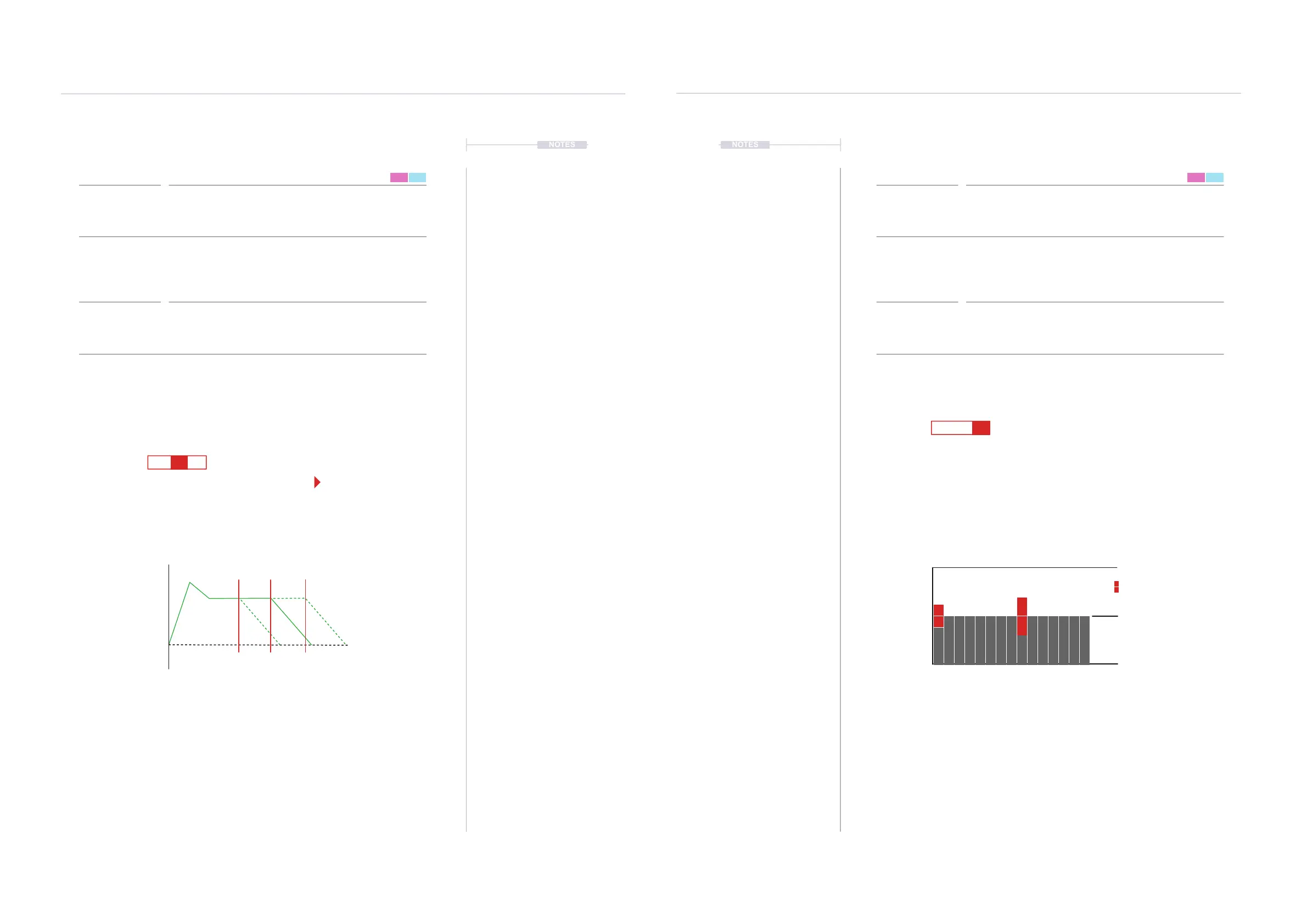
Playback will be at the default volume until a random volume step is triggered. A value
somewhere in the range will then be applied.
FX1 Randomises the value for FX2 (q - gate Length)
Range is -10 to +10 deviation from current default
Range is -20 to +20 deviation from current default
FX Type Tag FX Type Tag
Value Ranges Value Ranges
FX Description FX Description
Example Example
Effect Effect
Pad Range Pad Range
f v
0 to +/-255 0 to +/-100
Selects a random FX value (not type) for the FX located in the other slot, same
step. Plays a random selection each pattern cycle based on the set range.
Creates a volume variation in each cycle of the pattern through randomisation
of velocity. This is a value which is randomly selected from within a +/- range
from the default volume level.
This feature can add a variation to a pattern. For example FX1 Random 20
applies to FX2 Gate length, which will be the value randomised. Gate length
full range is 0-100%. FX2 Functions other than Gate Length can also be used.
This is useful for creating accents and audible variations in volume level.
Random FX Value Random Volume
Jog wheel gives precise and wider range of settings.
Pads are inconsistent for this selection.
Pad 1 = 0, Pad 13 = 25, Pad 25 = 51, Pad 37 = 76,
Pad 48 = 100
FX Steps
7
FX Steps
7



 To Next Page